
Why is my profile not being shown?
Your profile is shown to others only when it is complete, has a clear photo of you and is not paused. How to find and fix what is missing.
- Android app
- Murudo Web
Your profile is shown to other people only when it is complete, has at least one photo that clearly shows your face, and your account is not paused. When something is missing, Murudo says Profile info not complete and lists what to fix.
Find what is missing
- Open the Profile tab. If you see a Profile completeness card, it lists what is needed, each line starting with Required.
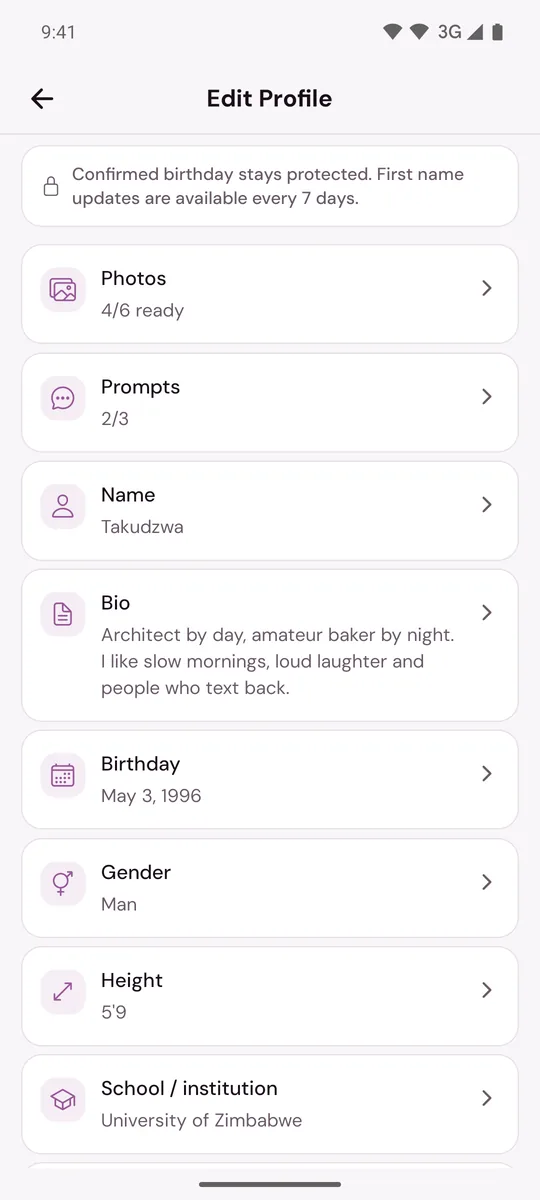
- Tap the card, or tap Edit Profile.
Fix every row marked Required.
Daily and For You show the same message with an Open profile button until your profile is complete.
What a profile needs
- A first name
- A birthday that makes you 18 or older
- Your height
- Your gender
- What you are looking for
- Who you want to date, in Match Preferences
- At least one photo that clearly shows your face. The app asks for two.
- At least 3 interests
- A bio
- At least one answered prompt
The Profile completeness card also counts your answers for relationship type, ethnicity, children, family plans, religion and drinking. Fill those in too and the card disappears at 100%.
If nothing is listed as missing
Check these:
- Your photos. If a photo was removed, or your only photo is still waiting for review, your profile is hidden until you have one clear photo of yourself. See What photos are allowed and Why was my photo removed?.
- A paused account. For You shows Your account is paused. Open Settings, Privacy and security and tap Resume Account. See Pause your account to take a break.
- Stealth Mode. If you have Gold and switched it on, only people you have already liked can find you. See Browse privately with Stealth Mode.
- Getting your profile ready. If Daily shows this, your profile is saved and Murudo is still finishing the upload. Check your connection and tap Refresh.
- A suspended account. See My account was suspended or banned.
Complete, but few people seem to see you
A complete profile is not shown to everyone. Someone sees you only if you fit what they are looking for and they fit what you are looking for: gender, age range and, in For You, distance. Murudo does not hide a finished profile because you have been away, but people who were active recently are shown first.
For ways to be seen more, see I am not getting matches.
On Murudo Web
The Profile tab shows a Profile info not complete card with the missing items and an Edit Profile button. Fix them, then tap Save.
Updated 13 October 2026