
Browse privately with Stealth Mode
Stealth Mode is for Gold members. While it is on, only people you have already liked can discover you. It stays on until you turn it off, and a boost pauses it.
- Android app
- Murudo Web
Stealth Mode lets Gold members browse without being shown to everyone. While it is on, only people you have already liked can discover you. It stays on until you turn it off or your Gold pass ends.
Turn Stealth Mode on
- Open the For You tab and tap the glasses icon at the top right. Or open Profile, Settings, Privacy and security.
Scroll down to Stealth Mode.
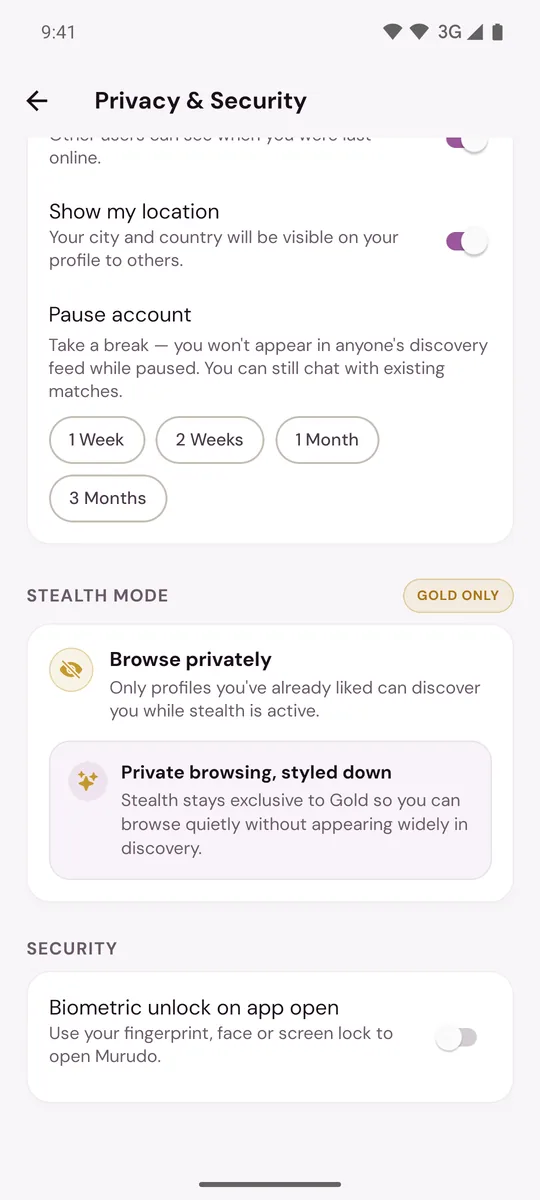
- Turn on Incognito mode.
Under the switch you now see On until you turn it off. To stop, turn the switch off.
What changes while it is on
- You are not shown in For You or Daily to people you have not liked.
- People you have liked can still see your profile, so they can like you back.
- Your matches and chats stay exactly as they are.
- You can keep browsing and liking as usual. Each person you like can then see you.
When you boost
A boost shows you to more people, so Stealth Mode pauses while your boost runs. You see Stealth Mode paused when the boost starts, and under the switch Paused while your boost runs with the time it comes back on. When the boost ends, Stealth Mode turns back on by itself. If you turn Stealth Mode off during the boost, it stays off.
If you turn Stealth Mode on while a boost is running, it starts hiding you when the boost ends.
Stealth Mode does not hide your Active label from the people who can see you. That is a separate switch: see Hide your last active time or location.
If you are not on Gold
Tapping the glasses icon shows Want to browse privately? with Upgrade, which opens Murudo Premium on the Gold plan. In Privacy & Security the Stealth Mode card is marked Gold only.
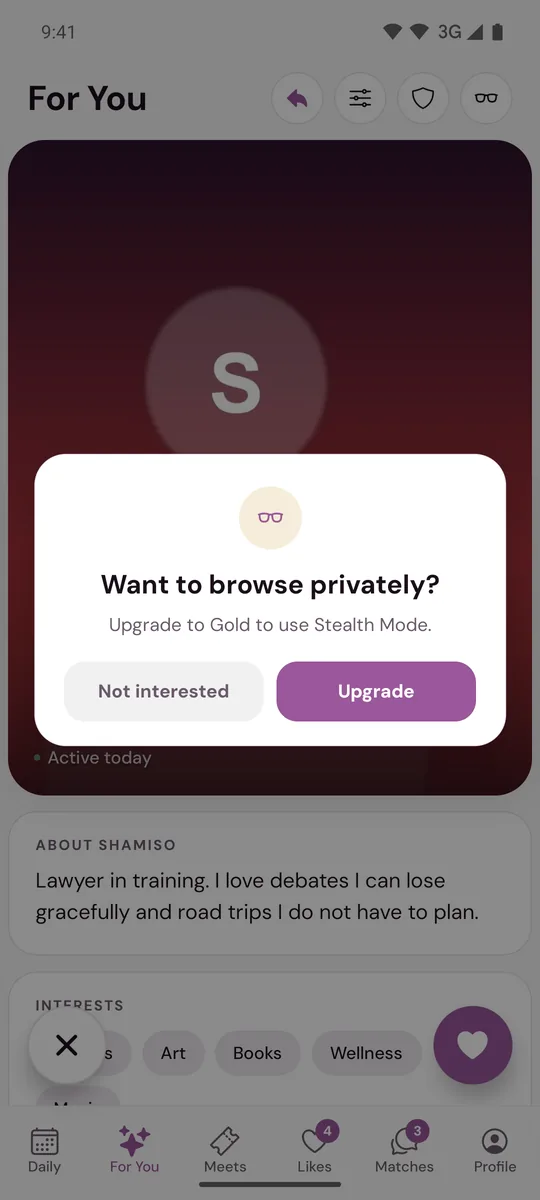
On any plan, you can hide from everyone for a while by pausing your account. Pausing also stops you liking and passing. Stealth Mode does not.
On Murudo Web
Tap the glasses icon at the top of Discover, or open Profile, Settings, Privacy, and turn on Stealth Mode. Murudo Web confirms that it is on until you turn it off. A boost pauses it on Murudo Web too.
Updated 25 October 2026