
Advanced filters
Plus and Gold members can filter For You by religion, dating intention, relationship type, drinking and ethnicity. Where they are and how they behave.
- Android app
- Murudo Web
Advanced filters let Plus and Gold members narrow For You by five things: religion, dating intention, relationship type, drinking and ethnicity. They sit at the bottom of Match Preferences. Everyone, on any plan, can set distance, age range and who they want to date.
Set a filter
- Open the Profile tab, tap Settings, then Match preferences. Or tap the sliders icon at the top of For You.
Scroll down to Advanced Filters.
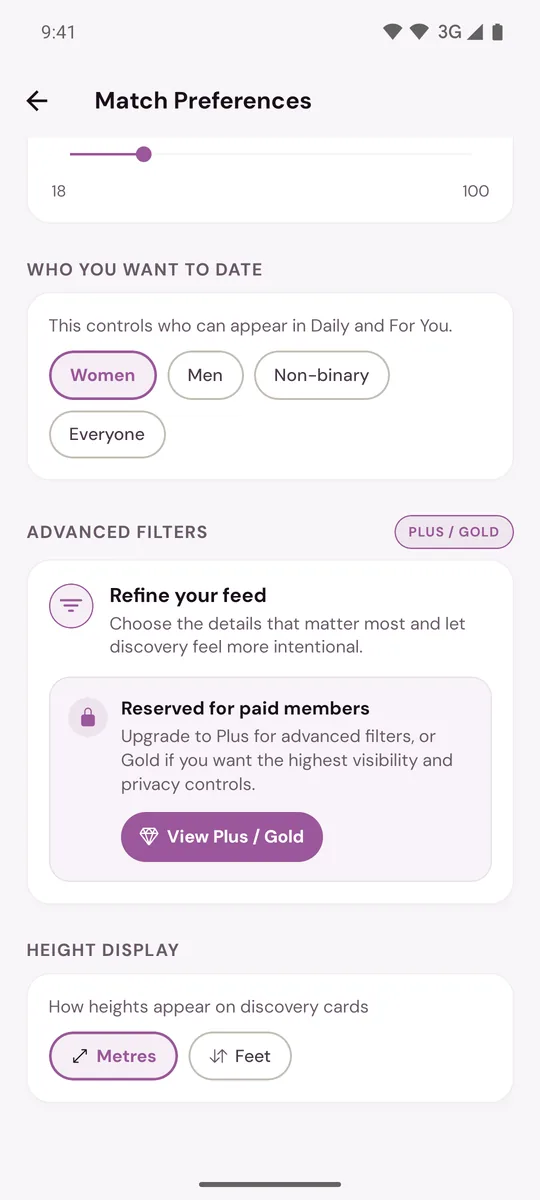
- Under Religion, Dating Intention, Relationship Type or Drinking, tap the answer you want. Tap Any to remove that filter.
- Under Ethnicity, tap one or more answers. Tap an answer again to remove it. Leave them all off for any.
Each filter applies as soon as you tap it. On the Free plan this section shows Reserved for paid members with a View Plus / Gold button.
How the filters behave
- They apply to For You. Daily does not use them.
- A filter only matches what people show on their profile. Someone who hid that answer, or left it empty, is not shown while the filter is on.
- With several ethnicities chosen, a person needs to match any one of them.
- Every filter you add makes the list shorter. If nobody fits, For You shows people outside your filters and tells you in a banner.
- When your pass ends, the filters stop applying.
What you cannot filter by
There is no filter for verified profiles, height, children, family plans, interests or school. Height Display only switches between metres and feet.
On Murudo Web
Open Profile, then Settings, then Advanced Filters. The same five filters are there. Dating intention is labelled Looking for. On the Free plan the section shows View Plus / Gold plans.
Updated 13 October 2026