
You Liked and Direct Reach-outs
You Liked lists people you liked who have not answered yet. Plus and Gold members can send one message to someone there before matching.
- Android app
- Murudo Web
You Liked is the second tab in Likes. It lists people you liked who have not answered yet. Plus and Gold members can send one message to a person on that list before matching. This is called a Direct Reach-out, or a Priority Reach-out on Gold.
See who you liked
- Tap the Likes tab.
Tap You Liked.
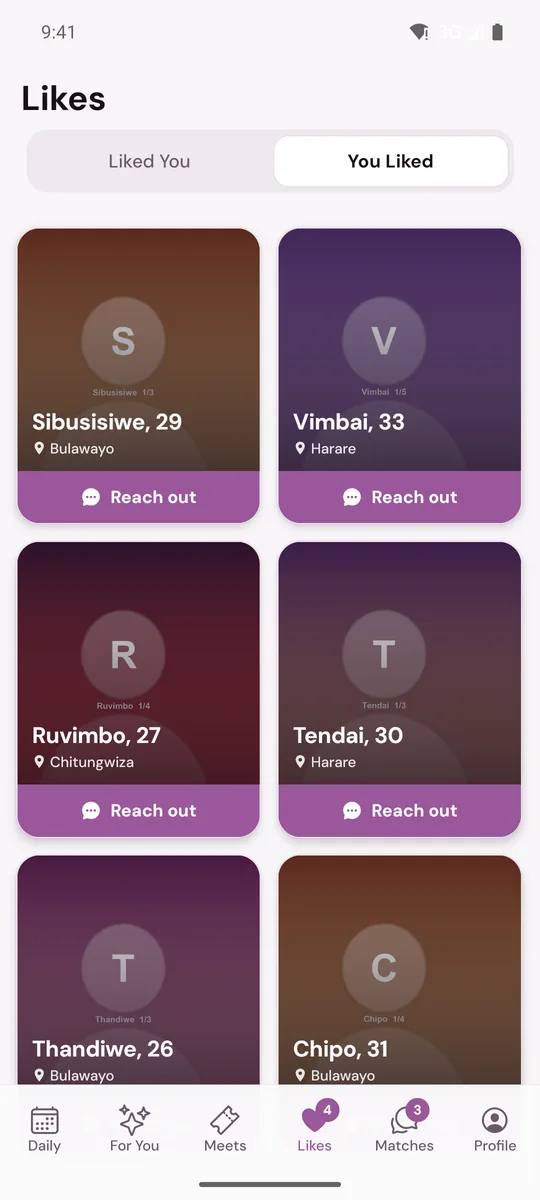
Each card shows the person's photo, name, age and city. Tap the photo to open their profile. People stay on the list until they answer your like or are no longer available. You cannot take a like back from here.
Send a reach-out
- Tap Reach out under the person's photo.
- Write your message, up to 2,000 characters. The sheet reminds you: Send one message. Chat unlocks when they reply.
- Tap Send message.
Your message opens on its own screen and the button on the card changes to Waiting for reply.
What happens next
- The other person sees your card at the top of their Liked You, clear even if they are on the Free plan, with your message inside.
- If they reply, you match and the chat opens for both of you.
- If they pass, they leave your You Liked list. You are not sent a notice.
The rules
- One message per person. You cannot send a second until they reply.
- Reach-outs are counted over 24 hours. When they are used up, tapping Reach out tells you so, and the next one unlocks 24 hours after an earlier one was sent.
- A reach-out can only go to someone you have already liked and who has not answered.
- On Gold, your reach-outs are marked Priority and are placed ahead of other likes in the person's list.
If you are on the Free plan
Tapping Reach out opens Murudo Premium. See Free, Plus and Gold compared.
If you see Super Likes on this tab, those are a one-off purchase offered on some accounts. A Super Like sends one message in the same way. They are never offered in the app from Google Play.
On Murudo Web
Open Likes at murudo.co/app and choose You Liked. The Reach out button and Waiting for reply are the same. Murudo Web also shows a line under the tabs with how many reach-outs you have available today; on the Free plan it says Direct Reach-outs are included with Plus and Gold, and Reach out carries a lock.
Updated 17 October 2026