
How Daily works
Daily gives you a few hand-picked introductions each day: 1 on Free, 3 on Plus and 5 on Gold. How the questions, timers and streak work.
- Android app
- Murudo Web
Daily is a small set of introductions chosen for you each day, instead of a long list to browse. You answer seven short questions once, then open the Daily tab each day to see who Murudo picked.
Answer the questions first
- Open the Daily tab. The screen is titled Daily Matches.
Read How Daily works, then tap your answer to the first question. The next question appears by itself.
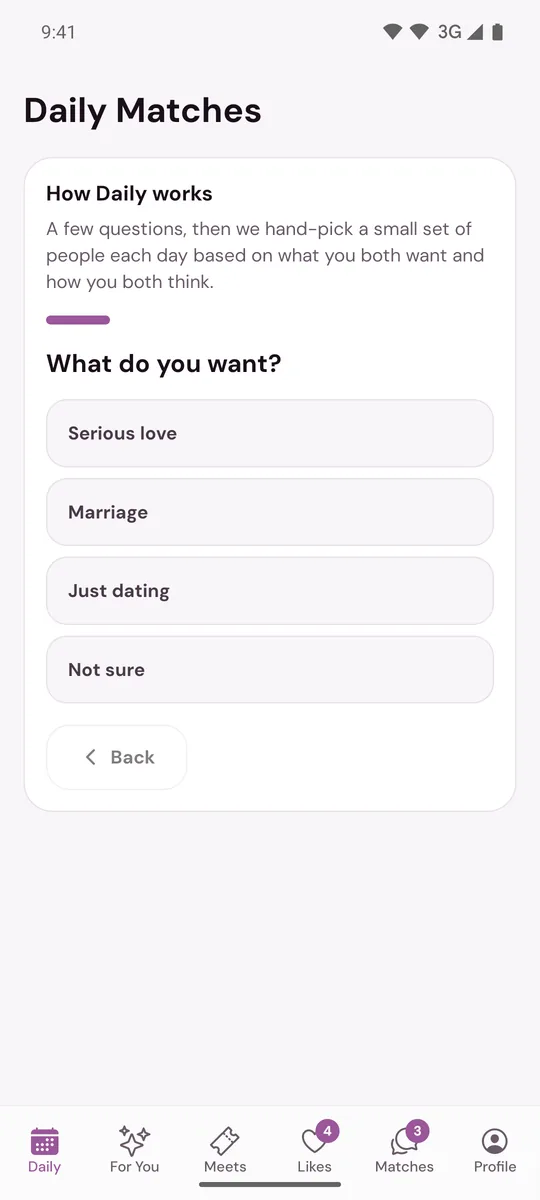
- Answer all seven. Tap Back to change an earlier answer before you finish.
The questions ask what you want, whether you want marriage and children, how important faith is, how you like to talk, what you do when you are upset and whether you could move for love. Answer honestly: there is no screen for changing your answers afterwards.
Your introductions
| Plan | Introductions each day |
|---|---|
| Free | 1 |
| Plus | 3 |
| Gold | 5 |
Each introduction is a card with the person's name, age, height, distance, what they are looking for, a compatibility percentage, Why this intro and the start of their bio. Tap the card to read the full profile.
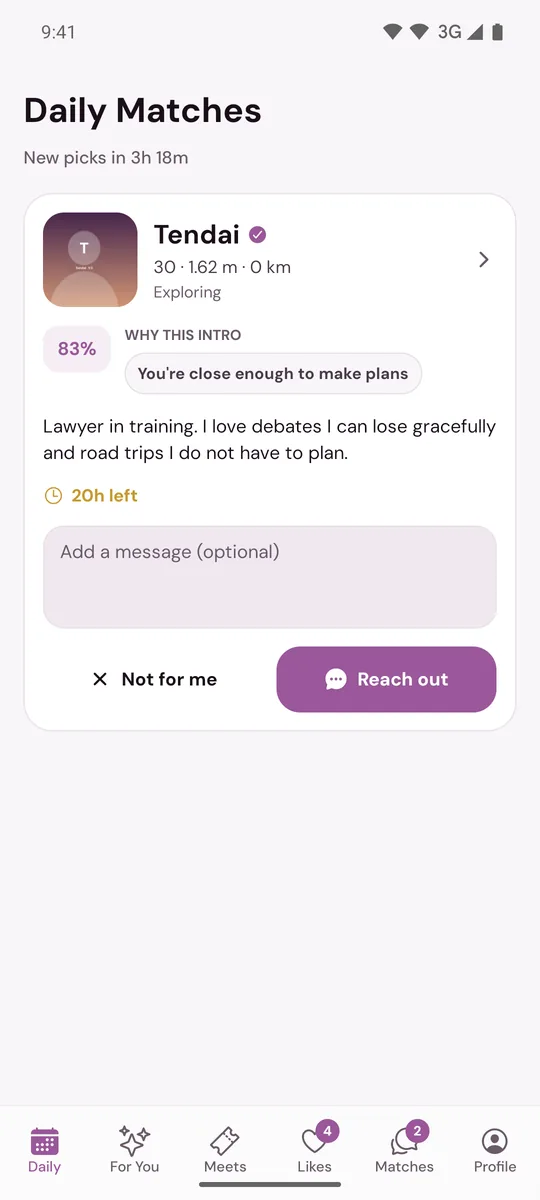
Daily only introduces people who fit Who You Want To Date and your Age Range, and whose own choices you fit. Max Distance does not apply to Daily. You are not introduced to the same person twice, or to anyone you have already liked, passed, matched or blocked.
To answer a card, see Reach out or pass on a Daily introduction.
Timers
- Each card shows how long is left, for example 14h 20m left. After that the introduction expires.
- Under the title, New picks in counts down to your next set. New picks come once a day, at 2:00 in the morning Zimbabwe time.
- When you have answered every card you see All set for today.
The streak
Open Daily on days in a row and, from the second day, a day streak counter appears beside the title. Every seventh day in a row adds one free Like Reveal to your account. A reveal uncovers one blurred card in Liked You. Miss a day and the streak starts again. Days are counted on Zimbabwe time.
If Daily shows something else
- Daily is off: tap Turn on Daily.
- Profile info not complete: finish the items listed. See Why is my profile not being shown?
- No introductions yet: nobody new fits today. See I am not seeing new people.
On Murudo Web
Daily works the same way in the Daily tab at murudo.co/app. Murudo Web also has a switch to take yourself out of Daily: Profile, Settings, Discovery Preferences, Available for Daily Matches.
Updated 13 October 2026