
Like or pass on someone
In For You, tap the heart to like a profile or the X to pass. When you and another member have liked each other, it is a match and you can chat.
- Android app
- Murudo Web
In For You, tap the heart to like the profile in front of you or the X to pass. There is no swiping left or right: moving your finger only scrolls through the profile.
Like or pass
- Open the For You tab.
- Scroll down to read the profile.
Tap the heart at the bottom right to like, or the X at the bottom left to pass.
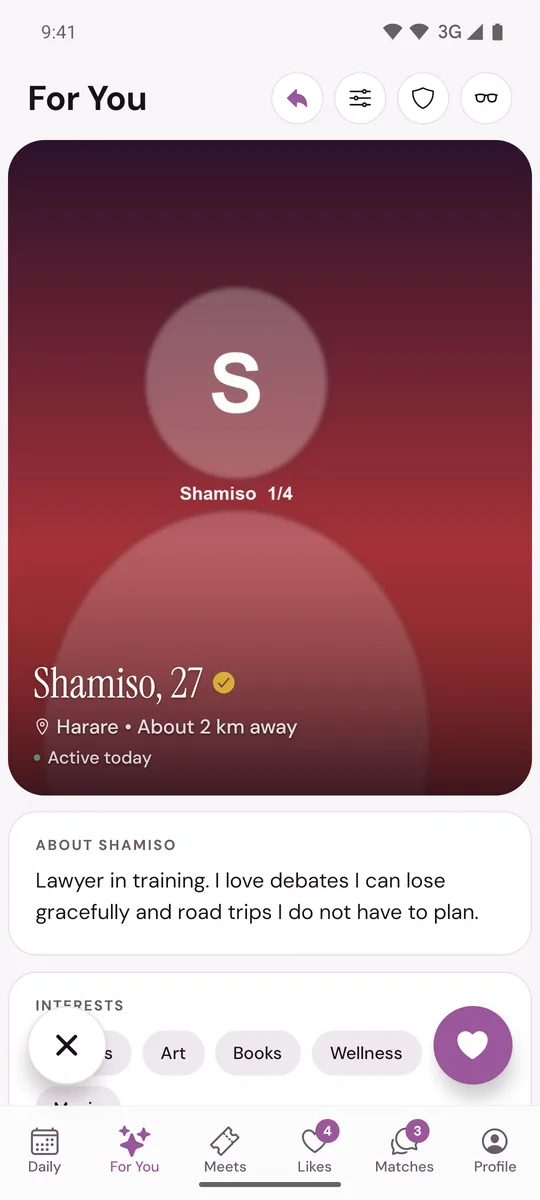
The next profile appears. A like is added to the other person's Likes tab. A pass is not shown to anyone.
When it is a match
If the person has already liked you, the app shows IT'S A MATCH straight away, with two buttons:
- Send a message opens your new chat.
- Keep browsing takes you back to For You. The match waits in your Matches tab.
If they like you later, you get a notification and the match appears in Matches. See How matching works.
Good to know
- On the Free plan you have a set number of likes each day. Passing never uses one. See I have run out of likes.
- You like the whole profile. You cannot like one photo or prompt, or attach a comment to a like. To say something before you match, use Reach out in Daily or a Direct Reach-out.
- Tapped the wrong button? Plus and Gold members can Rewind within 30 seconds.
- If the app says Slow down, you are tapping faster than Murudo allows. Wait a moment and carry on.
- If a like or pass cannot be saved, usually because of the connection, the profile comes back so you can try again.
Other places you can like
- Likes, Liked You: tap the heart on a card to like someone back. That makes a match at once. See See who liked you.
- Daily does not use likes. You answer an introduction with Reach out or Not for me.
On Murudo Web
The tab is called Discover, and the X and heart buttons work the same way. On a computer you can also press the left arrow key to pass and the right arrow key to like.
Updated 13 October 2026