
Recover a username account with a selfie
Forgot the password to a username account? Enter your username, recovery contact and recovery phrase, take a selfie and set a new one.
- Android app
- Murudo Web
If you signed up with a username and no email, you get back in with four things: your username, the recovery contact you saved, the recovery phrase you saved, and a fresh selfie. When they match, you choose a new password straight away.
Recover your account in the Android app
- Tap Sign in, then Log in with username.
- Tap Recover with selfie.
Fill in Username, Recovery contact you saved and Recovery phrase you saved.
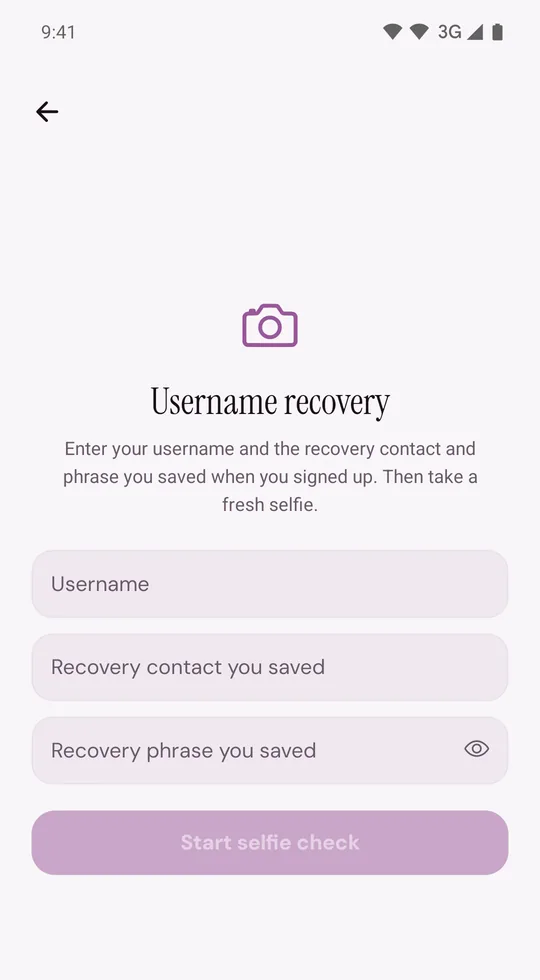
- Tap Start selfie check and allow the camera if your phone asks.
- Hold the phone so your whole face is inside the guide, in good light, and tap the round button.
- Wait while the screen says Checking your selfie. Murudo compares it with the selfie you took at sign-up and with your profile photos.
- On Choose a new password, type a new password in both fields and tap Reset password. Do this within 15 minutes of the selfie.
- Tap Back to login and log in with your username and the new password.
Any other phone or browser that was logged in to your account is logged out. A passkey saved on your account is removed too. You can save a new one on Murudo Web.
Typing your details
- Type the contact you saved at sign-up, even if your number has changed since.
- A phone number matches with or without the country code and spaces: 0771 234 567 and +263 771 234 567 count as the same number.
- Capital letters and extra spaces in the phrase do not matter.
If it does not work
- Recovery not completed: the username, contact or phrase is not what was saved. For your security Murudo does not say which one. Tap Check details and try again.
- You are asked to retake the selfie: move into brighter light, take off sunglasses or a hat, and keep your full face inside the guide.
- Too many recovery attempts. Try again later.: wait a while before your next try. More attempts straight away do not help.
- Camera required: allow camera access for Murudo in your phone's settings.
- You signed up with email or Google, or you later added an email to your username account: selfie recovery does not apply. Log in that way, or reset your password by email.
On Murudo Web
Tap Log in with username, then Recover with selfie. Fill in Username, Recovery contact and Recovery phrase, tap Start Selfie Check, then Capture selfie. When the selfie matches, type a new password and tap Reset Password.
Still locked out
Email support@foretellhq.com with your username and what the screen says. Support cannot read your recovery phrase, send a code or set a password for you, so they may not be able to get you back in. More about these details is in Recovery details for username accounts.
Updated 13 October 2026