
Sign up with a username if you have no email
No email address? Create a Murudo account with a username and password, then save recovery details and take a quick selfie check.
- Android app
- Murudo Web
If you have no email address, you can sign up with a username and a password. Because there is no email to reset your password with, Murudo asks you to save recovery details and take a quick selfie before you set up your profile.
If you do have an email address or a Google account, sign up with that instead. It is quicker, and a forgotten password is easier to reset.
Create the account
- Open Murudo and tap Create account.
- At the bottom of Create your account, next to No email account?, tap Sign up with username.
Enter a Username. It must be 3 to 30 characters, using only letters, numbers, underscores or dots, with no spaces. It is saved in small letters.
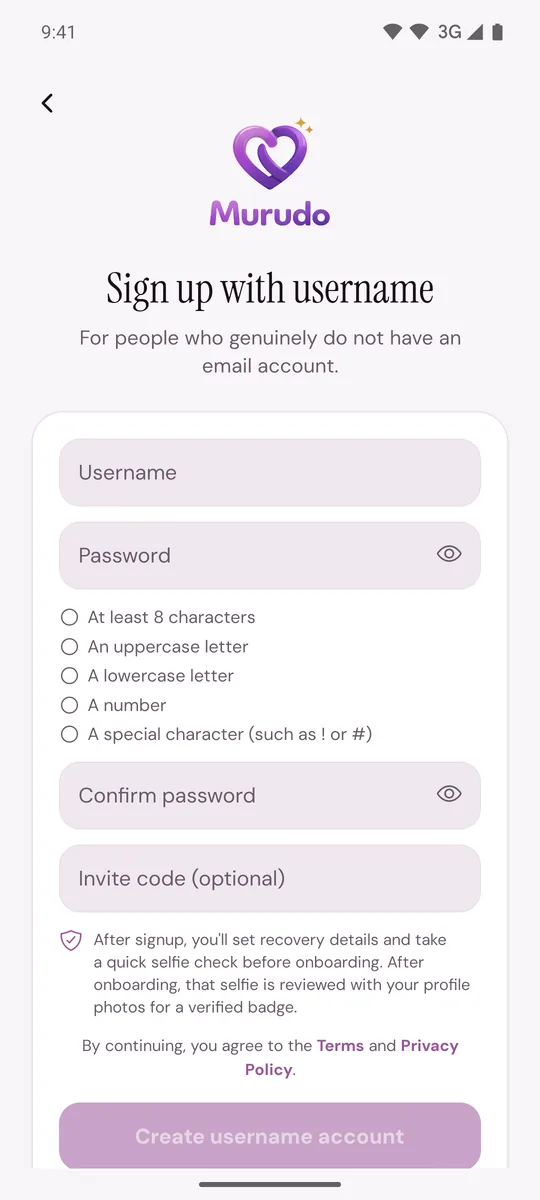
- Enter a Password and type it again in Confirm password. It needs at least 8 characters, an uppercase letter, a lowercase letter, a number and a special character such as ! or #.
- If someone gave you an invite code, enter it in Invite code (optional).
- Tap Create username account.
If Murudo says the username is already taken, choose another one. If the name is yours from an earlier try, tap the button that starts Log in as and log in instead.
Save your recovery details
- On Set up account recovery, enter a phone number or another contact that is yours.
- Enter a short recovery phrase that you will remember.
- Tap Continue to selfie check.
More about this: Recovery details for username accounts.
Take the selfie check
- On Selfie Check, tap Start selfie check and allow the camera.
- Keep your full face inside the guide, in even light, without sunglasses or a hat.
- Take the selfie. When a face is detected, you go on to set up your profile.
After your profile is finished, that selfie is reviewed with your profile photos for the Verified badge. If the check will not work, see The selfie check is not working.
On Murudo Web
The steps are the same at https://murudo.co/app/. Tap Sign up with username, fill in Username, Password and Confirm Password, and tap Create Account. Your browser will ask to use the camera for the selfie check.
Good to know
- You cannot change a username later. See Can I change my username or phone number?
- Next time, log in with Log in with username.
- You can add an email address to the account later. See Change or add an email address.
Updated 13 October 2026