
Install Murudo from Google Play
Open Murudo on Google Play, tap Install, then open the app and create your account or sign in. Google Play keeps it up to date.
- App from Google Play
On your Android phone, open Murudo on Google Play, tap Install, then open the app. It is free to install.
Install the app
- On your Android phone, open Murudo on Google Play. You can also go to https://murudo.co/ and tap Get it on Google Play.
- Tap Install and wait for the download to finish.
- Tap Open.
You will see Meet your person. Tap Create account if you are new, or Sign in if you already have a Murudo account.
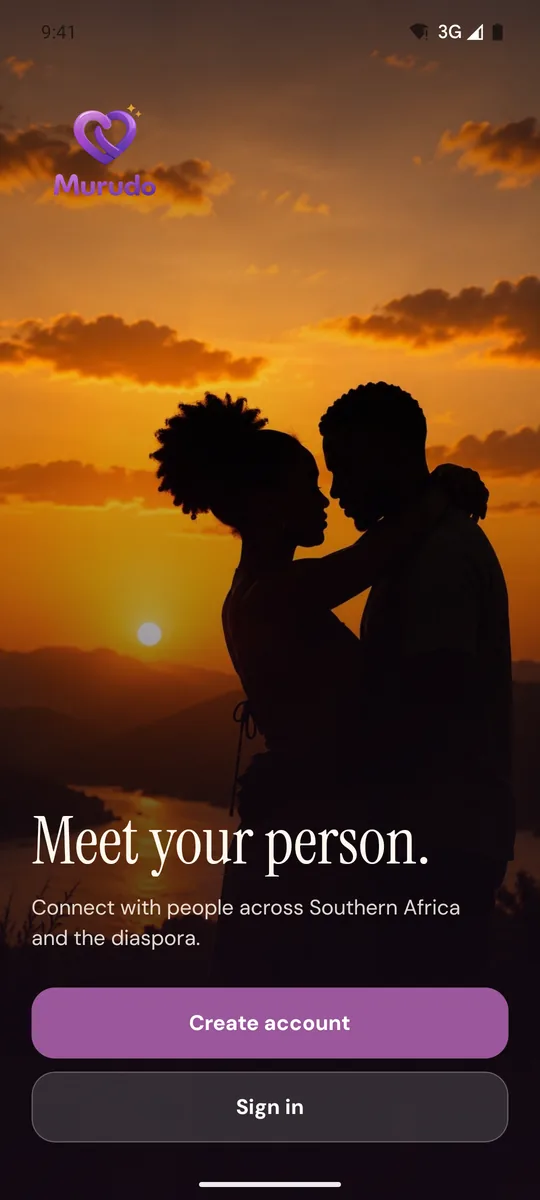
Next: Create your Murudo account.
Updates
Google Play updates Murudo for you, in the same way as your other apps. To check for an update yourself, see Update Murudo to the latest version.
Paying in this version
In the app from Google Play, Murudo Premium and boosts are paid for through Google Play. Passes for 7 days and 30 days renew until you cancel them in Google Play. See Pay through Google Play.
If you already have Murudo
If you installed Murudo by downloading it from murudo.co, keep that version. The Google Play app and the direct download cannot update each other, and a phone can only hold one of them at a time. See Google Play or the direct download: which one?
If Google Play will not install it
- Check that you have a connection and free space on your phone, then try again.
- If your phone has no Google Play, or Google Play will not install Murudo on it, you can download the app from murudo.co or use Murudo Web in your browser.
Updated 13 October 2026