
Pay through Google Play
How to buy a Plus or Gold pass or boosts in the Murudo app installed from Google Play, and which passes renew.
- App from Google Play
In the Murudo app installed from Google Play, passes and boosts are paid for through Google Play, with the payment methods on your Google account. The 7-day and 30-day passes are subscriptions that renew until you cancel them in Google Play. The 24-hour pass and boosts are one-time purchases.
Buy a pass
- Open Profile and tap See Plans.
Under Choose your tier, tap Plus or Gold, then tap a pass under Choose your pass.
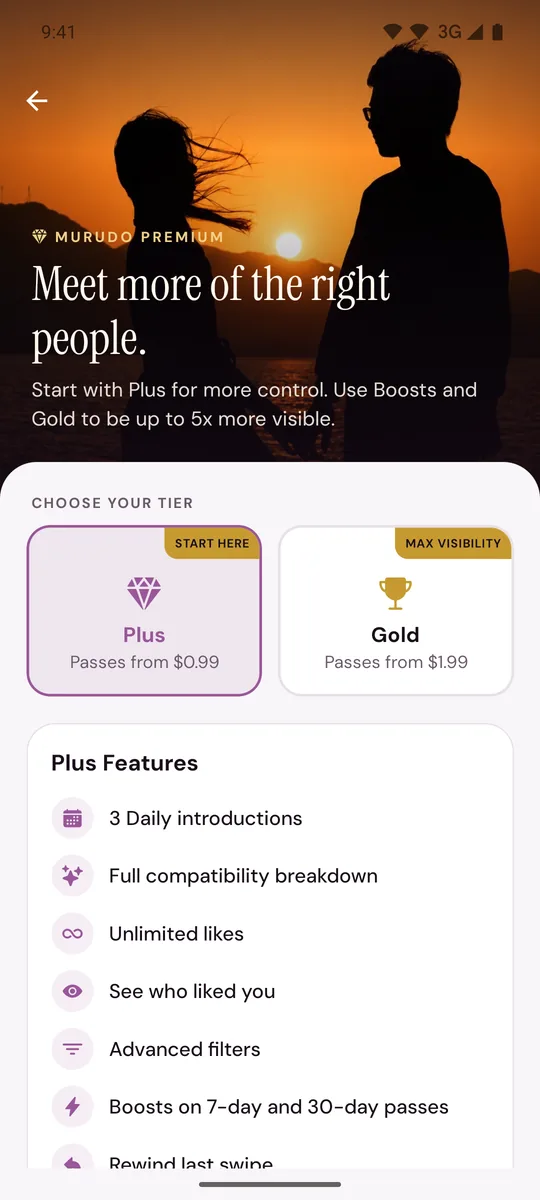
- Tap the button that starts with Get Plus or Get Gold.
- On Subscribe, tap Purchase with Google Play.
- Google Play opens its own payment sheet. Check the price and the payment method, then approve the purchase there.
- Back in Murudo you see Purchase Successful and your plan is active. Tap Done.
The price you pay is the one on Google Play's sheet. Google decides which payment methods you can use.
Buy boosts
- Open Profile, scroll to Boost Your Profile and tap Buy Boosts.
- Tap a pack, then tap Continue.
- Tap Purchase with Google Play and approve the purchase in Google Play.
What renews and what does not
- A 24-hour pass is paid once and ends after 24 hours.
- A 7-day or 30-day pass renews at the end of each period, and Google Play charges you again, until you cancel. See Cancel a Google Play subscription.
- Boosts are paid once.
If the purchase does not go through
- Cancelled means Google Play's sheet was closed before the purchase finished. Tap Try Again.
- Purchase Failed comes with a short reason. Check the payment method on your Google account, then tap Try Again.
- If the app says it could not load the Google Play product, close the screen and try again in a moment.
- If Google Play took the money but your plan is not active, open the Subscribe screen again and tap Restore Google Play. See I paid but Premium is not active.
What the Google Play app does not sell
Forever plans and special offer prices are only on Murudo Web and in the app downloaded from murudo.co. Tickets for Murudo events are paid through Paynow in every version of the app: see Pay for an event ticket.
If you would rather pay with EcoCash, see Why do I not see EcoCash as a payment option?
Updated 13 October 2026