
See your plan and when it ends
Where to find your current plan, its end date and whether it renews, in the Android app and on Murudo Web.
- Android app
- Murudo Web
Your plan is on the Profile tab. The card under your photo names your plan, and tapping Manage opens the Premium screen with the end date and whether the plan renews.
In the Android app
Open Profile. If you have a plan, the card under your photo says Plus Member, Gold Member, Plus Forever or Gold Forever, with the length of your pass and a date.
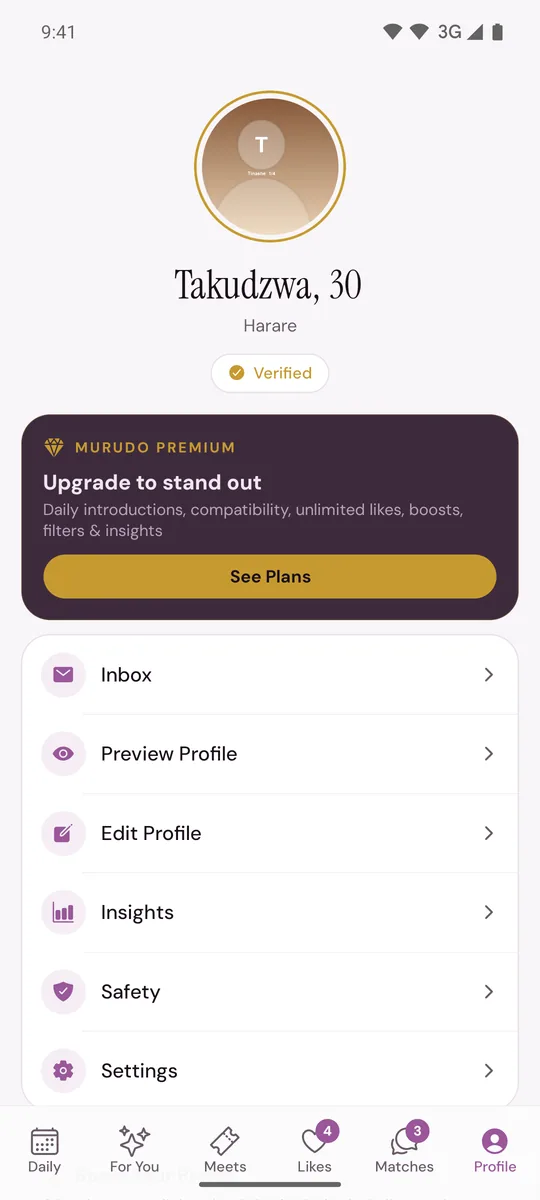
- Tap Manage.
- At the top of the Premium screen you see You're on Murudo Plus or You're on Murudo Gold. The card below it shows your plan, for example Plus - 30-day Pass, then Ends and the date.
If the card on the Profile tab says See Plans, you have no plan at the moment.
What the lines mean
- Ends and a date: the last day of the time you have paid for.
- No automatic renewal: the pass stops on its end date and nothing more is charged. You see this for every pass paid through Paynow, and for a 24-hour pass from Google Play.
- Renews through Google Play: a 7-day or 30-day pass from Google Play. It renews around that date unless you cancel in Google Play.
- Manage in Google Play: opens your subscriptions in Google Play, where you can cancel.
- Pay once, yours forever: a Forever plan. It has no end date.
- Referral reward: free Plus time you earned from an invite, if invites are switched on for your account.
On the Profile tab, the card says Ends before the date for a pass that stops by itself, and Renews for a 7-day or 30-day pass from Google Play. An older version of the app said Renews for every pass. A pass paid with EcoCash, OneMoney, InnBucks or card ends on that date whatever the card says. See Does my pass renew by itself?
On Murudo Web
- Open Profile. With a plan, you see Plus Member, Gold Member, Plus Forever or Gold Forever and the length of your pass, for example 30-day Pass.
- Tap Manage to open Your Murudo Premium and the features of your plan.
Murudo Web does not show the end date. To see it, log in to the Android app with the same account, or ask support.
Your boosts
Boosts you have bought show on the Profile tab, under Boost Your Profile, as boosts remaining. Boosts that come with a pass are not shown as a number. See Boosts included with your pass.
If your plan is missing
If you paid and the card still says See Plans, go to I paid but Premium is not active.
Updated 13 October 2026