
Buy boosts
How to buy a pack of 1, 3, 5 or 10 boosts in the Android app or on Murudo Web, and what to know before you pay.
- Android app
- Murudo Web
Boosts are sold in packs of 1, 3, 5 or 10. They are one-time purchases, not a subscription: you buy a pack, then start a boost when you choose. For what a boost does, see What a boost does and how to use one.
Buy boosts in the Android app
Open Profile and scroll down to Boost Your Profile.
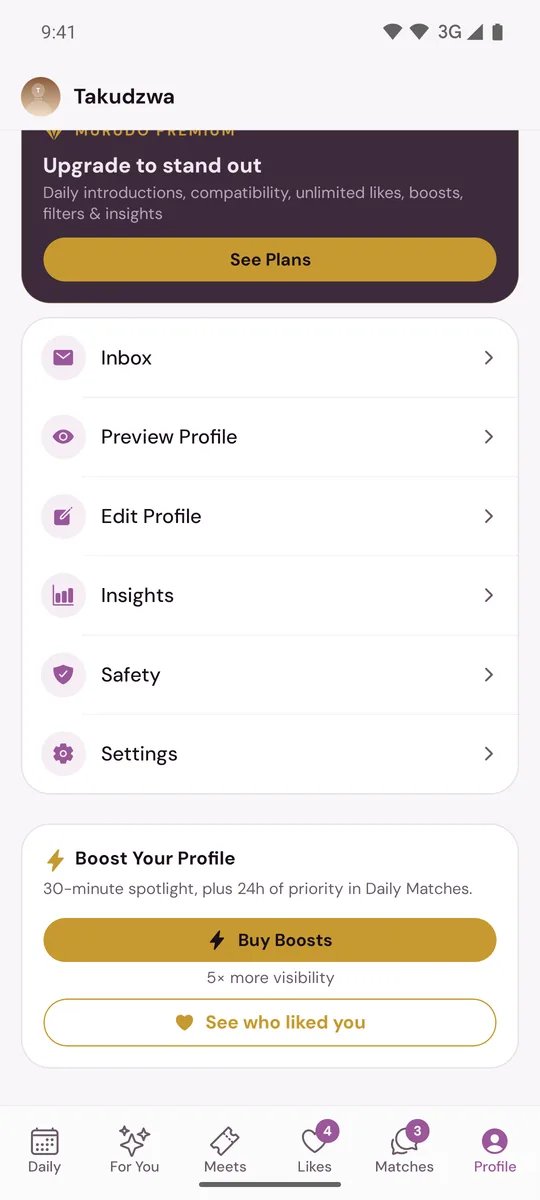
- Tap Buy Boosts.
Under Choose a Pack, tap the pack you want.
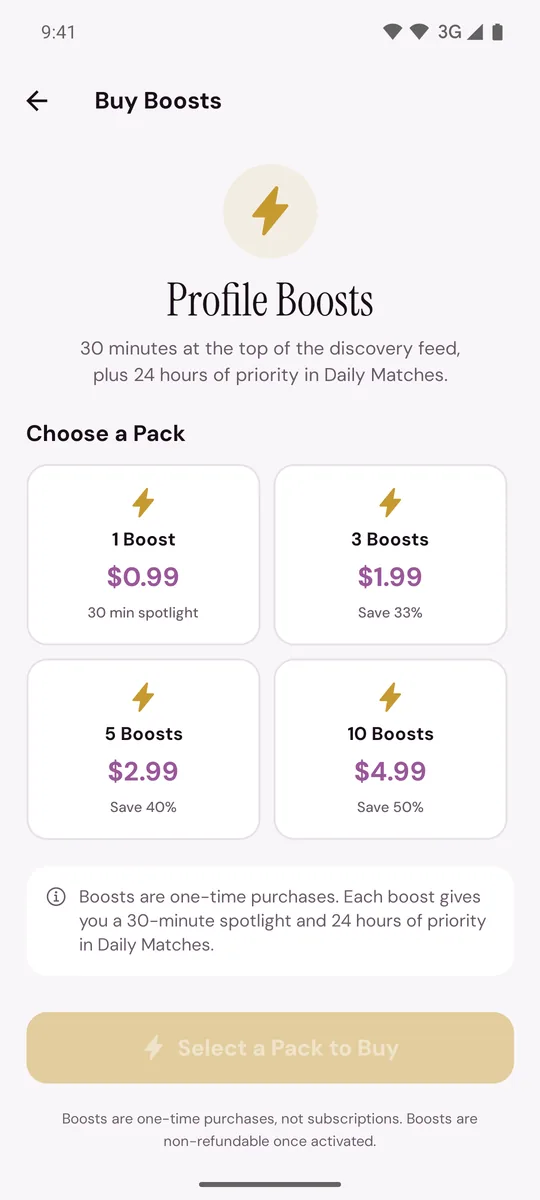
- Tap Continue. The button shows the price.
- Pay. In the app downloaded from murudo.co, choose a method under Payment method: see Pay with EcoCash. In the app from Google Play, tap Purchase with Google Play.
- When the payment is confirmed, the screen says the boosts have been added to your account. Back on the Profile tab, the button now says Use Boost, with the number remaining under it.
Buy boosts on Murudo Web
- Open Profile, find Boost Your Profile and tap Buy Boosts.
- On Get Boosts, tap a pack.
- In the Purchase Boosts box, choose a payment method and pay.
If you do not see Buy Boosts
- The button says Use Boost: you still have boosts you bought. Use them first. When you pay through Paynow, a new pack cannot be bought while bought boosts remain.
- The button says Use Boost (Plus) or Use Boost (Gold): you are on a pass, and the card starts a boost instead of opening the shop. In the Android app there is no Buy Boosts button on this card while your pass lasts. To buy extra boosts, log in to Murudo Web with the same account: when you have no boosts left, the same button opens Get Boosts.
- The card says Boost active until and a time: a boost is running. Only one can run at a time.
What boosts cost
When you pay through Paynow, at the time of writing: 1 boost is $0.99, 3 are $1.99, 5 are $2.99 and 10 are $4.99, in US dollars. The current list is on the Murudo pricing page. In the app from Google Play, the price is the one Google Play shows.
Before you pay
- Use Boost starts a boost straight away. There is no second question, so tap it only when you want the boost to begin.
- Boosts are non-refundable once activated.
- Boosts you buy stay on your account until you use them. They are removed if you delete your account.
- Murudo Wallet credit cannot be used to buy boosts.
- A Plus or Gold pass of 7 or 30 days already includes some boosts. See Boosts included with your pass.
Updated 13 October 2026