
Create your Murudo account
Sign up with Google, with your email and a password, or with a username if you have no email. It is free and takes a few minutes.
- Android app
- Murudo Web
Open Murudo, tap Create account and choose how to sign up: with Google, with your email, or with a username if you have no email. Creating an account is free. You must be 18 or older.
Start
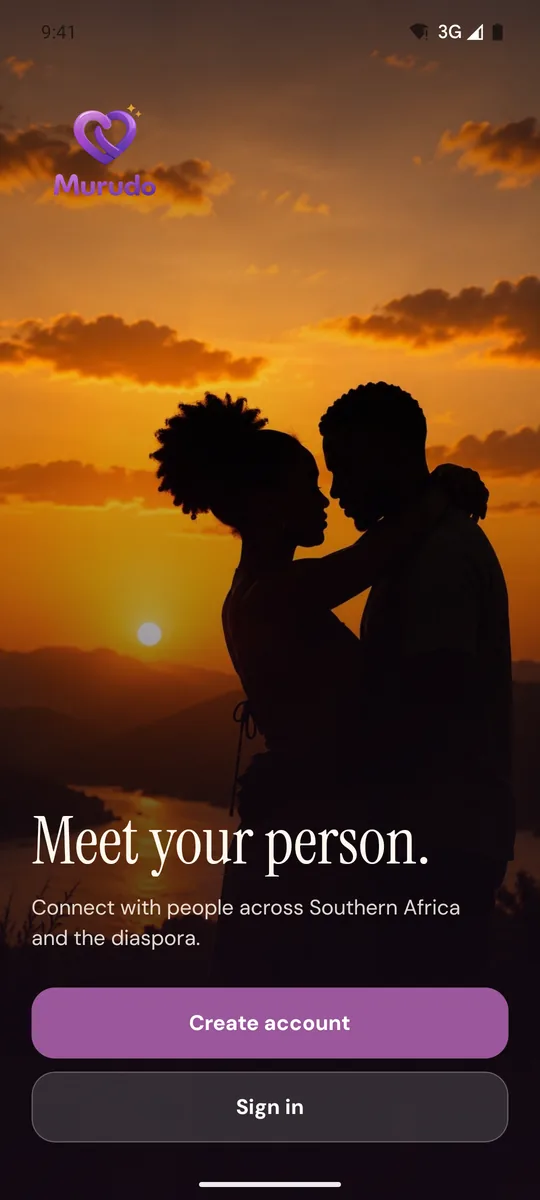
Open Murudo and tap Create account.
On Create your account, choose Continue with Google, Continue with email or, at the bottom, Sign up with username.
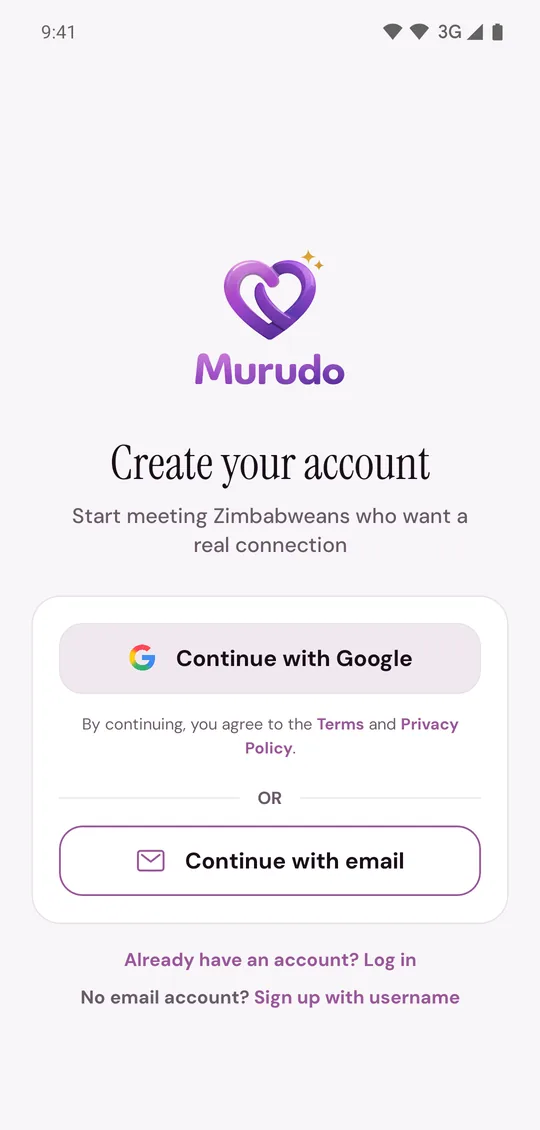
By continuing you agree to the Terms and Privacy Policy. Tap either word on that screen to read them.
Sign up with Google
- Tap Continue with Google.
- Choose your Google account.
That is all. You do not need a new password or an email code. If you do not see Continue with Google, it is not available on your phone: use your email instead.
Sign up with email
- Tap Continue with email.
Enter your Email address, a Password and the same password again in Confirm password.
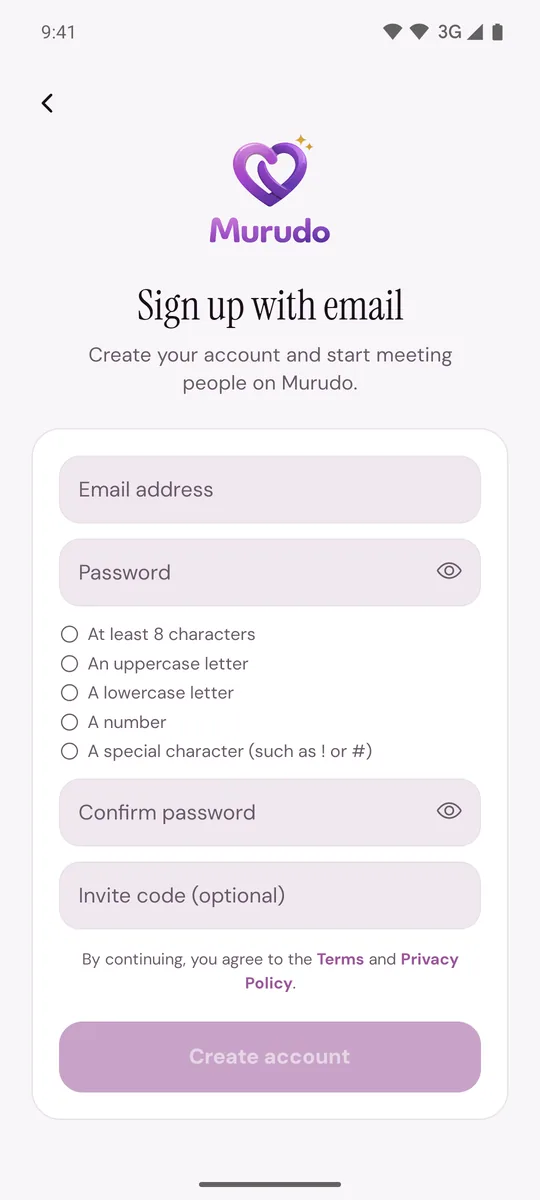
- If someone gave you an invite code, enter it in Invite code (optional). Otherwise leave it empty.
- Tap Create account.
- Murudo emails you a 6-digit code. Enter it on Verify your email and tap Verify. The code lasts 15 minutes.
If the code does not come, see The email code is not arriving.
Password rules
Your password needs all five of these. The list under the password box ticks each one as you type.
- At least 8 characters
- An uppercase letter
- A lowercase letter
- A number
- A special character, such as ! or #
Sign up with a username
If you have no email address, tap Sign up with username. This way has two extra steps, so read Sign up with a username if you have no email.
On Murudo Web
- Go to https://murudo.co/app/.
- If you see Welcome back, tap Create an account under the buttons. If you opened Murudo from your Home Screen, tap Create account.
- Use the Google button, Continue with email or Sign up with username.
- For email, fill in Email, Password, Confirm Password and, if you have one, Invite code (optional), then tap Create Account.
- Enter the 6-digit code on Check your email and tap Verify Email.
What comes next
Murudo takes you through your profile, one short step at a time. See Set up your profile step by step.
Updated 13 October 2026