
Someone is using my photos or pretending to be me
How to tell Murudo about a profile that uses your photos or your name, whether or not you can see the profile yourself.
- Android app
- Murudo Web
Report the profile and say that the photos are yours. Using another person's photos or identity is against Murudo's rules, and our team can remove the photos or the account. You do not need a Murudo account to tell us: you can email support@foretellhq.com.
If you can see the profile in the Android app
A match: open the chat and tap their name at the top. Tap Report, choose Fake profile / catfish, and write "These are my photos" under Add more details (optional). Tap Submit Report.
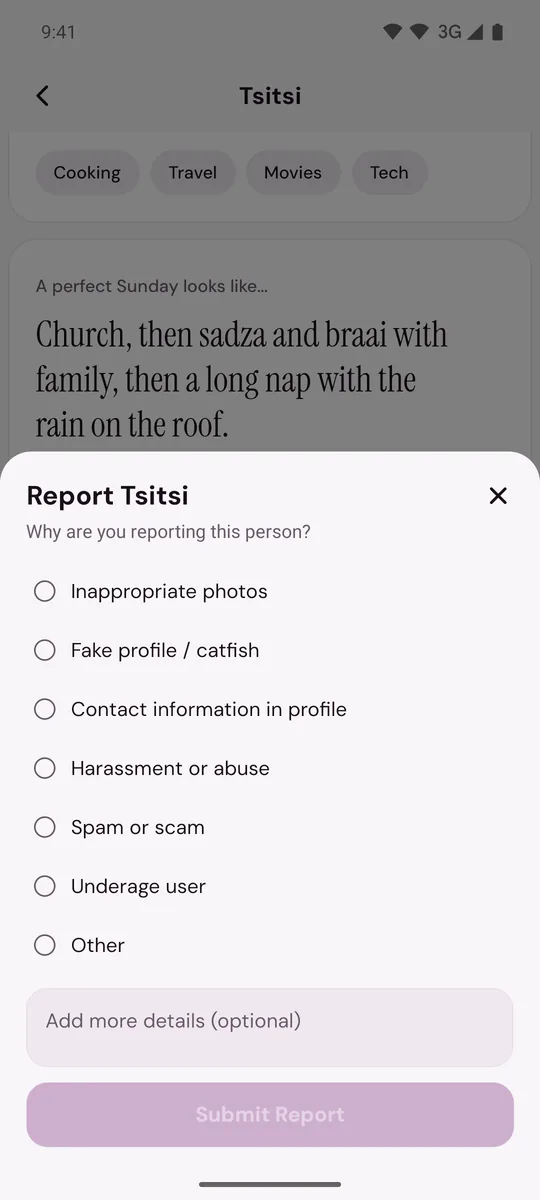
- On For You or Daily: tap the shield icon, then Report. On Report an Issue, choose Fake profile / catfishing, say that the photos are yours under Describe what happened, and tap Submit Report.
If you cannot see the profile
Often a friend tells you, or sends a screenshot. You cannot search for a person on Murudo, and the profile may never be shown to you, so describe it to our team instead.
- Open the Profile tab and tap Safety.
- Tap Report a Safety Concern.
- Choose Fake profile / catfishing.
- Under Describe what happened, give the first name, age and city on the fake profile, say which photos are yours, and say who saw it and when.
- Tap Submit Report.
A report is text only. If you have a screenshot of the fake profile, send it through Profile, Inbox, Contact Murudo, or by email.
On Murudo Web
- A match: open the chat, tap their name at the top, tap Report and choose Fake profile / Catfishing.
- Someone on Discover: tap the shield icon at the top, tap Report, then Fake profile.
- A profile you cannot see: open Profile, tap Safety, then SOS Report, and choose Catfishing / Fake profile.
If you are not a Murudo member
Email support@foretellhq.com with:
- a screenshot of the profile, if you have one
- the first name, age and city it shows
- which photos are yours, and where you first posted them if you know
Protect your own profile
- Get the verified badge. It shows that your selfie matched your profile photos, which a copy of your profile cannot do.
- If you think someone has got into your own account, read I think someone else has used my account.
- Murudo can only act on Murudo accounts. If your photos are being used on another app or site, report them there too.
Updated 13 October 2026