
Block someone
How to block a member in the app or on Murudo Web, what a block does, and why it cannot be undone in the app.
- Android app
- Murudo Web
To block someone, open their profile and tap Block, or tap the shield icon on For You. Blocking stops the two of you from seeing or contacting each other on Murudo and ends any match between you. The person is not told, and a block cannot be undone in the app. If they have done something wrong, report them first and then block.
Block someone in the Android app
A match
- Open your chat with them and tap their name at the top. You can also tap their photo in Matches.
At the bottom of their profile, tap Block.
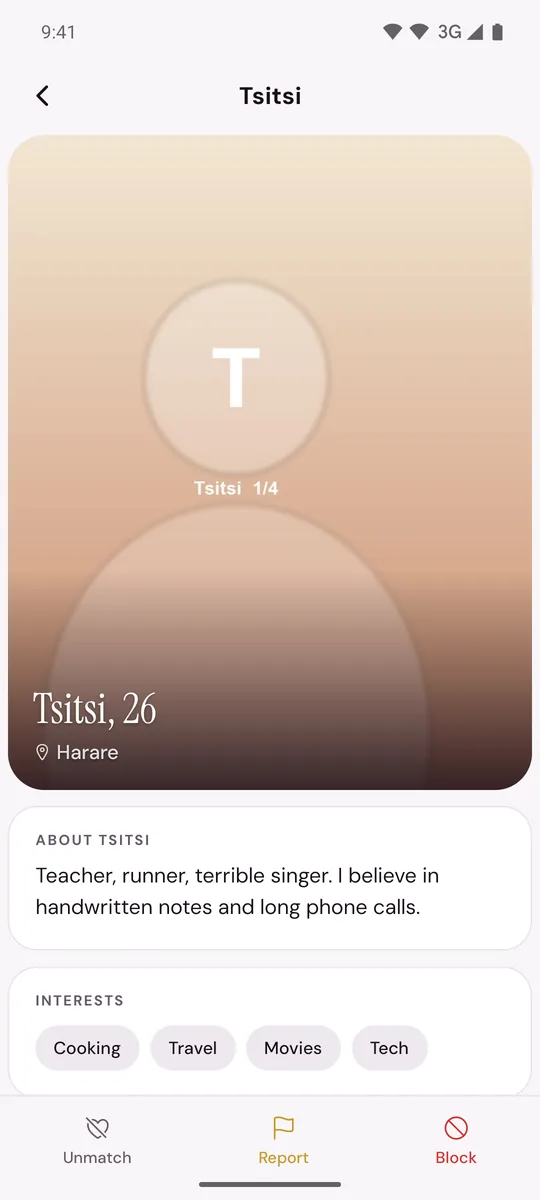
- Tap Block again to confirm. You will see Blocked.
Someone on For You
- Tap the shield icon at the top of the screen.
Tap Block with their name on it.
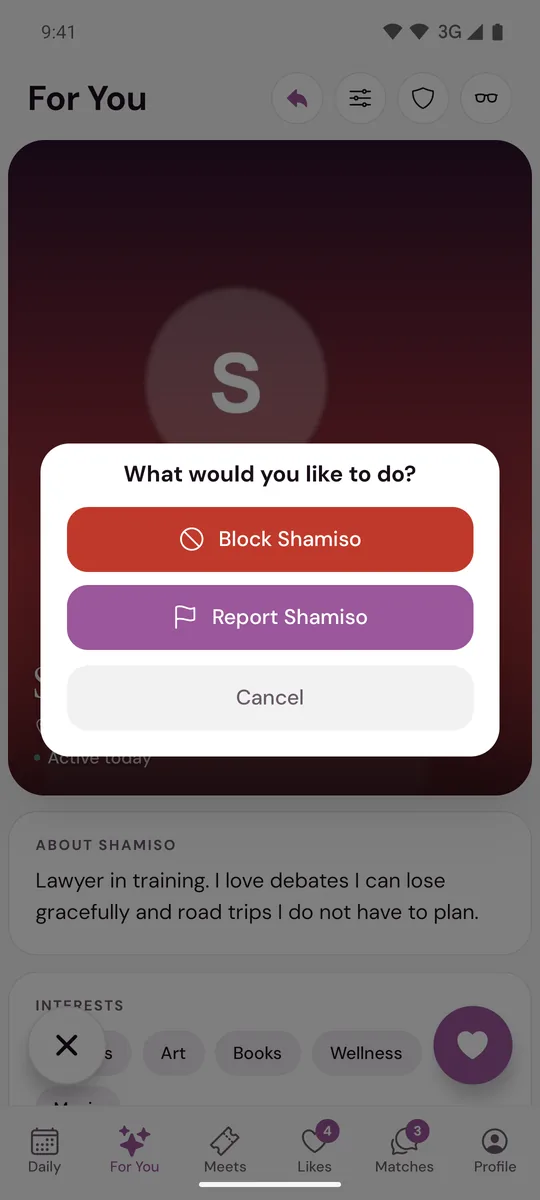
Other places
- Daily: tap the introduction to open the profile, tap the shield icon at the top right, then tap Block.
- Likes: open the person's profile from Liked You and tap the block icon at the top right (a circle with a line through it), then Block. A profile opened from You Liked has Block at the bottom.
- A reach-out message: tap Block under the message, then Block again.
What a block does
- You no longer appear to each other in For You, Daily or Likes.
- Any match between you ends. Neither of you can open the chat or send a message.
- The person gets no notice that you blocked them.
- The messages are kept where our team can review them, which matters if you also reported the person. Unmatching is different: it deletes the chat for both of you.
- A block applies to that one account. If the same person comes back with a new profile, report it.
You cannot undo a block in the app
There is no list of people you have blocked and no unblock button. If you blocked someone by mistake, contact support: open Profile, Inbox, Contact Murudo, or email support@foretellhq.com. Give the person's first name, age and city, and roughly when you blocked them, and ask whether the block can be removed. Removing a block does not bring back the old match or chat.
On Murudo Web
- A match: open the chat, tap their name at the top, tap Block, then Confirm.
- Someone on Discover: tap the shield icon at the top, then tap Block under Report or Block. This also happens at once.
- Someone who liked you: open their profile from Likes, tap the shield icon, then Block.
Murudo Web has no block control on a Daily introduction. Use Not for me to pass, and if you need to report the person go to Profile, Safety, SOS Report.
Updated 13 October 2026