
What the Verified badge tells you about someone
The Verified badge means a member's selfie matched their profile photos when it was checked. It does not confirm their name, age, job or intentions.
- Android app
- Murudo Web
The Verified badge is the gold tick beside a member's name. It means that person took a selfie in Murudo and the selfie matched the photos on their profile at the time it was checked. That is all it confirms. It does not check a name, an age, a job, whether someone is single, or what they want from you.
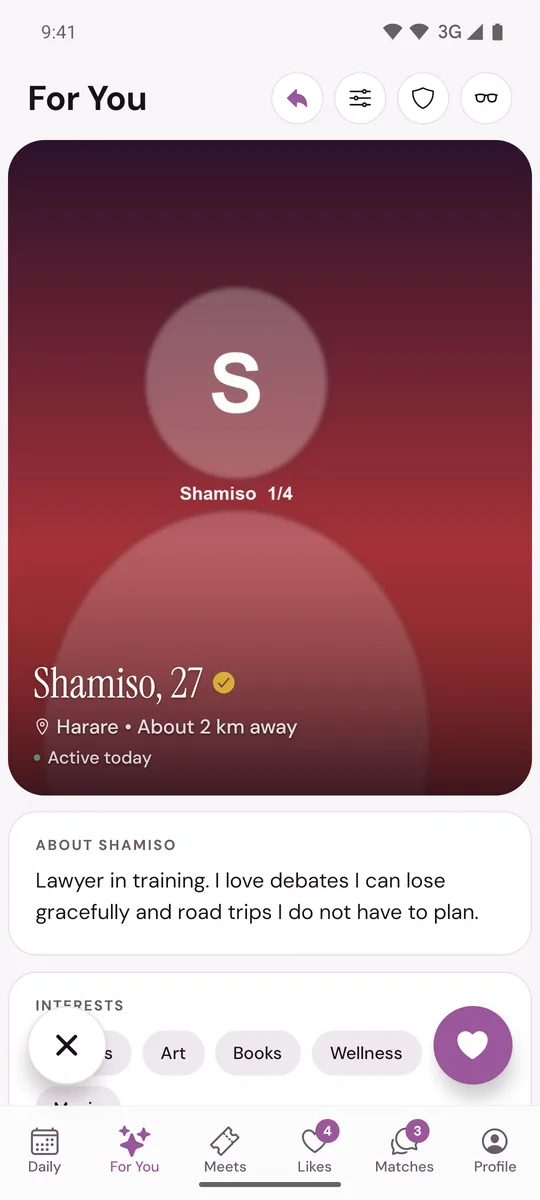
What the badge tells you
- The member took a selfie with the camera inside Murudo.
- The selfie was compared with their profile photos, by an automatic check or, when that check was not sure, by a person at Murudo.
- The selfie and the photos were found to show the same person.
You see the tick beside the name on a profile and at the top of your chat with a match. You never see the selfie itself.
What it does not tell you
- Name, age, job or anything else written on the profile. The check is a selfie compared with photos. It is not a check of an identity document, and everything else on a profile is what the member typed.
- Relationship status. A verified member can be married or seeing someone else.
- Intentions. A verified member can still lie, ask for money or behave badly.
- How recent the photos are. The check compares faces. It does not know when a photo was taken.
The badge also belongs to one moment. A verified member can add photos later. A new photo that seems to show a different face is held for a person at Murudo to look at before it is shown, and if our team removes a photo from a verified profile the badge is removed with it.
A profile without the badge
Many genuine members have not taken the selfie, so a missing badge does not mean a profile is fake. If the badge matters to you, ask your match to get verified: it is free and takes one selfie. You cannot filter For You to show verified members only.
Still follow the safety advice
Treat the badge as one good sign, not as a promise from Murudo about the person.
- Keep your first conversations in Murudo, and meet in a public place the first few times.
- Tell a friend or family member where you are going and who you are meeting.
- Never send money or share bank or mobile money details, however real the person seems. See Someone asked me for money.
- Read Spot a romance scam and Staying safe when you date.
If a verified profile is not who it shows
If you meet someone, or see them on a video call in another app, and they are not the person in the photos, report the profile as a fake profile and say what you saw. The steps are in Report someone.
To get the badge on your own profile, see Get the verified badge.
Updated 13 October 2026