
Report someone who may be under 18
Murudo is for adults aged 18 and over. How to report a profile that seems to belong to someone younger.
- Android app
- Murudo Web
Murudo is only for adults aged 18 and over. If you think a member is younger, stop chatting with them and report the profile. You do not need to be certain: a person on our team will review it.
Report them in the Android app
A match: open the chat and tap their name at the top. Tap Report, choose Underage user, and say why you think so under Add more details (optional), for example what they said about their age or school. Tap Submit Report.
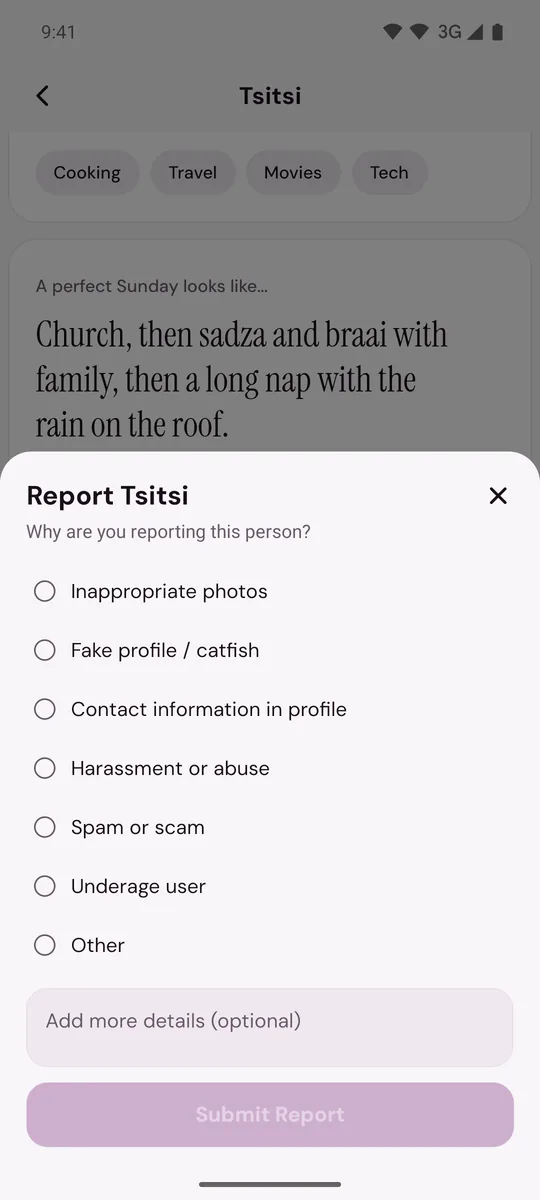
- On For You or Daily: tap the shield icon, then Report. The Report an Issue list has no underage option, so choose Other concern and write that you believe the person is under 18, and why. Tap Submit Report.
- A profile you can no longer open: open Profile, tap Safety, then Report a Safety Concern. Choose Other concern and give the person's first name, the age and city on their profile, and why you think they are under 18.
On Murudo Web
- A match: open the chat, tap their name at the top, tap Report and choose Underage user.
- Someone on Discover: tap the shield icon at the top, tap Report, then Underage.
- Anyone else: open Profile, tap Safety, then SOS Report, and choose Underage user.
Report by email
Email support@foretellhq.com with the subject Child Safety Report. Include the first name, age and city on the profile and what made you think the person is under 18. You can read Murudo's Child Safety Standards in full.
What to do in the meantime
- Stop the conversation. Do not ask for photos, and do not try to test their age yourself.
- Never ask for, send, save or forward a sexual picture of someone who may be under 18, not even as proof. Tell our team where the content is instead.
- Block the person after you have reported them. Do not unmatch first, because unmatching deletes the chat.
What Murudo does
Everyone gives a date of birth when they set up their profile, and it must show they are 18 or older. Under the Child Safety Standards, accounts or content that point to an underage user are restricted and reviewed, and an account can be removed for good. Where the law requires it, apparent child exploitation is reported to the authorities.
Updated 13 October 2026