
Report someone
How to report a member to Murudo's team from their profile, from For You or Daily, or from the Safety Center, and what to include.
- Android app
- Murudo Web
To report a match, open their profile and tap Report. To report someone you see on For You or Daily, tap the shield icon. Reports are confidential: the person is never told who reported them, and a person on our team reads every report.
If you are in danger right now, contact your local emergency services first.
Report a match in the Android app
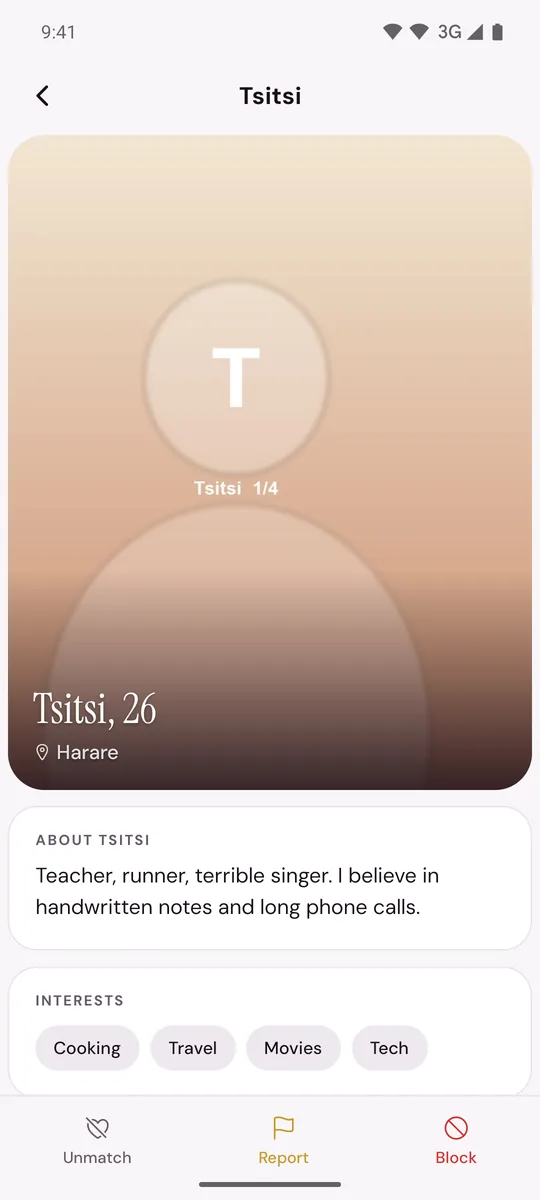
- Open your chat with them and tap their name at the top. You can also tap their photo in Matches.
- At the bottom of their profile, tap Report.
Choose a reason: Inappropriate photos, Fake profile / catfish, Contact information in profile, Harassment or abuse, Spam or scam, Underage user or Other.
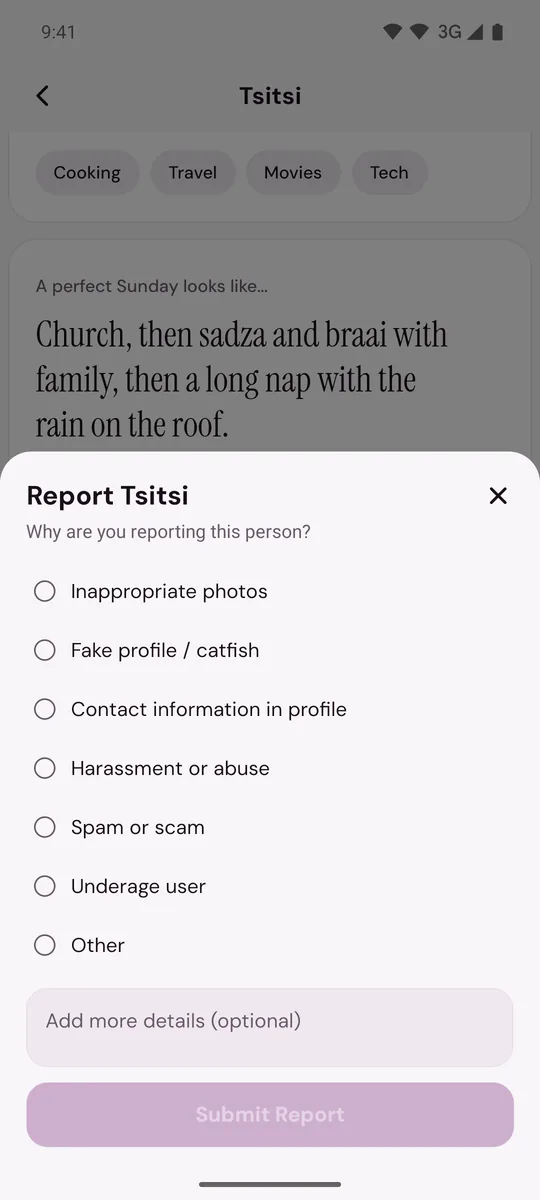
If their profile has a song, there is one more reason: Their song.
- Under Add more details (optional), say what happened and when. Details help our team more than the reason alone.
- Tap Submit Report. You will see Reported.
Report someone on For You or Daily
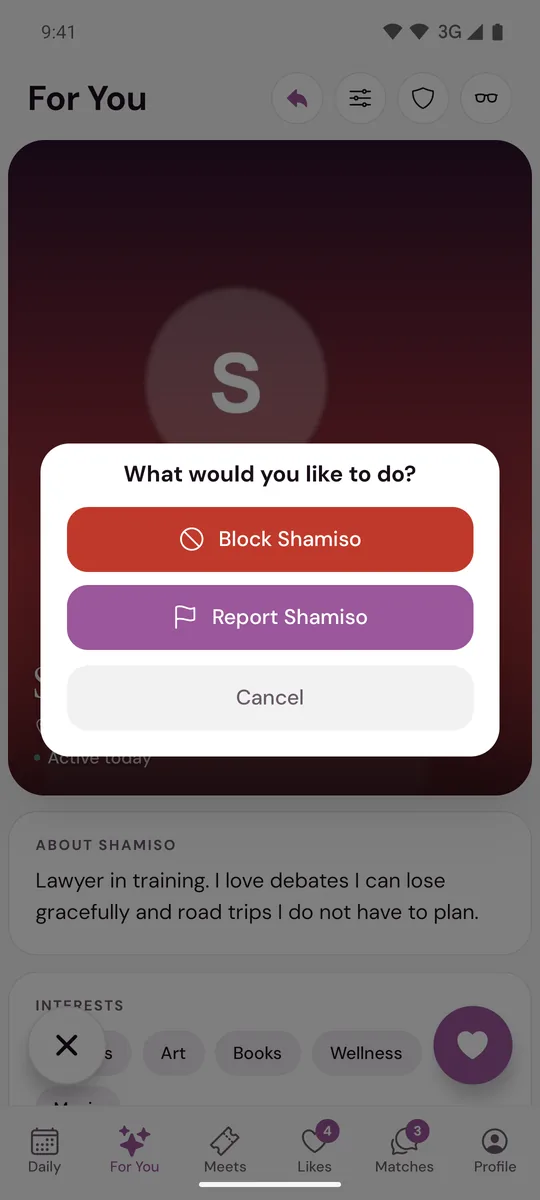
- On For You, tap the shield icon at the top. On Daily, tap the introduction to open the profile, then tap the shield icon at the top right.
Tap Report. On For You the button has their name on it.
- Report an Issue opens. Under What is the issue?, choose the one that fits best.
Under Describe what happened, write what you saw. This box must be filled in.
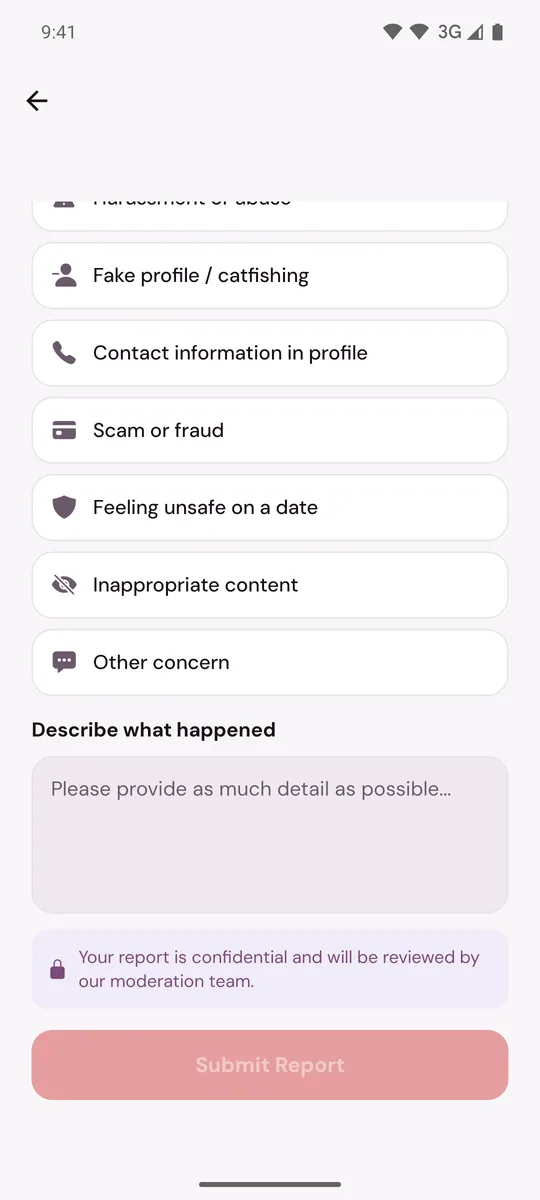
- Tap Submit Report.
On For You the profile leaves your screen as soon as you tap Report, so finish the report while it is open.
Report something else
For someone whose profile you can no longer open, or something that happened in person, go to Profile, Safety, Report a Safety Concern. See Report someone after an unmatch or block and Report something that happened on a date.
On Murudo Web
- A match: open the chat and tap their name at the top. Tap Report, choose a Reason, add Details (optional) and tap Submit Report.
- Someone on Discover: tap the shield icon at the top, tap Report, then tap a reason. The report is sent as soon as you tap the reason.
- Anything else: open Profile, tap Safety, then SOS Report.
Good to know
- Reporting does not block the person. If you do not want any more contact, block them after you report.
- A report is text only. To send screenshots, open Profile, Inbox, Contact Murudo and attach a screenshot to your message, or email support@foretellhq.com.
- If you report the same person again for the same reason with nothing new, you will see Already reported. If something new happens, report again and say what is new.
- To learn what comes next, read What happens after you report someone.
Updated 21 October 2026