
Report something that happened on a date
What to do if someone you met through Murudo frightened or harmed you in person, and how to tell our team about it.
- Android app
- Murudo Web
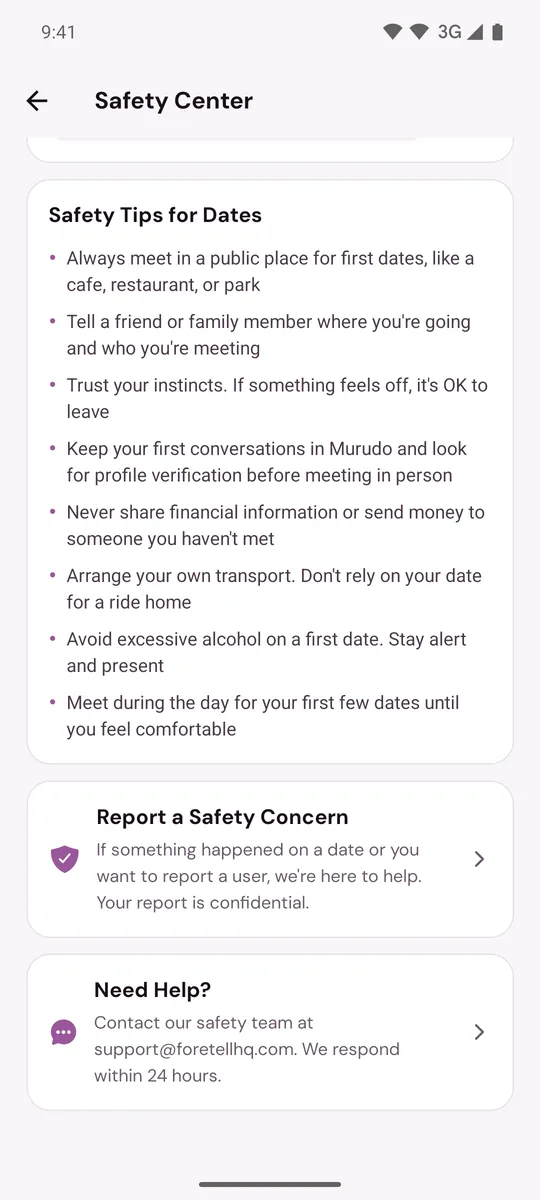
If you are in danger or hurt, contact your local emergency services first. When you are safe, tell our team: open the person's profile and tap Report, or go to Profile, Safety, Report a Safety Concern. What happened is not your fault, and your report is confidential.
First, look after yourself
- Get somewhere safe, with people around you.
- Tell someone you trust what happened.
- If you were hurt, consider seeing a doctor. You can also report it to the police. That is your decision, and you can report to Murudo either way.
If you are still matched
Do not unmatch yet. Unmatching deletes the chat for both of you, and the chat may show what was planned and said.
- Take screenshots of the chat if you can.
- Open the chat and tap their name at the top.
- Tap Report and choose Harassment or abuse, or Other if that does not fit.
- Under Add more details (optional), write what happened, when and where.
- Tap Submit Report.
- Back on their profile, tap Block so they cannot contact you on Murudo. Blocking keeps the messages for our team to review.
If you are no longer matched
- Open the Profile tab and tap Safety.
Tap Report a Safety Concern.
Under What is the issue?, choose Feeling unsafe on a date.
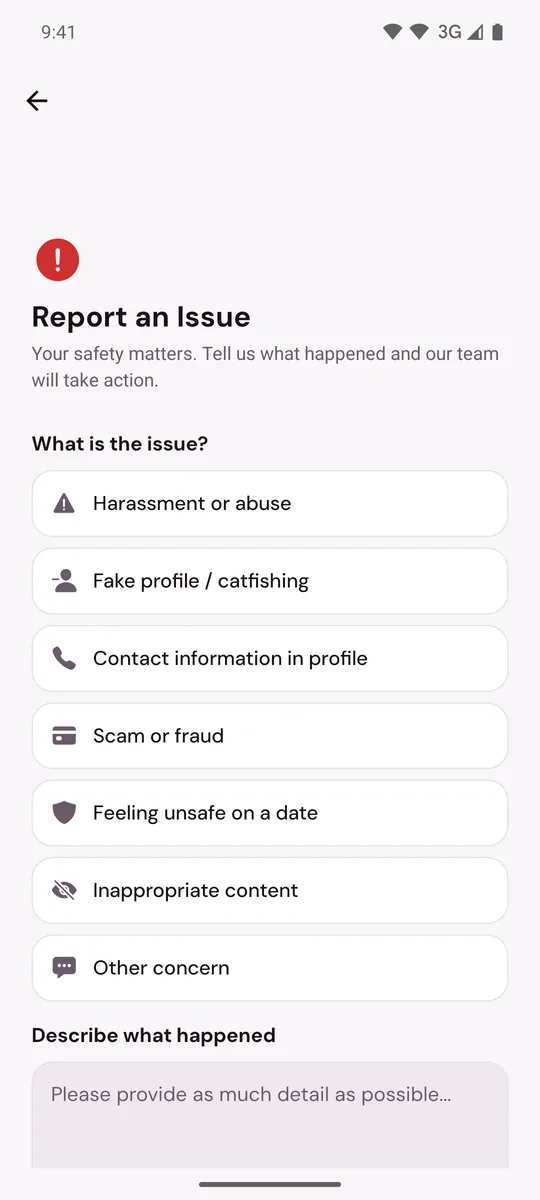
- Under Describe what happened, give the person's first name, age and city as shown on their profile, when you matched, when and where you met, and what happened.
- Tap Submit Report.
The app then says the safety team will review the report within 24 hours.
On Murudo Web
- Still matched: open the chat, tap their name at the top, tap Report, choose Harassment or Other as the Reason, write what happened under Details (optional) and tap Submit Report. Then tap Block and Confirm.
- No longer matched: open Profile, tap Safety, then SOS Report. Under What happened? choose the closest reason, describe the person and what happened under Details, and tap Submit Report.
What helps our team
- The date, time and place.
- What the person said or did, in your own words. You do not have to share more than you want to.
- Screenshots of messages. A report is text only, so send pictures through Profile, Inbox, Contact Murudo, or email support@foretellhq.com.
If it happened at a Murudo event, tell the Murudo staff at the event as well. See Staying safe at Murudo events.
If you go to the police, read Requests from the police or courts to see how Murudo handles their requests.
Updated 13 October 2026