
I cannot log in
What to check when Murudo will not let you in: the sign-in method, the password, a new empty profile, "Account disabled" and too many tries.
- Android app
- Murudo Web
Most login trouble comes from using a different sign-in method from the one you signed up with. Murudo has three: Google, email and password, or username and password. Use the one you created your account with, then find the message you see below.
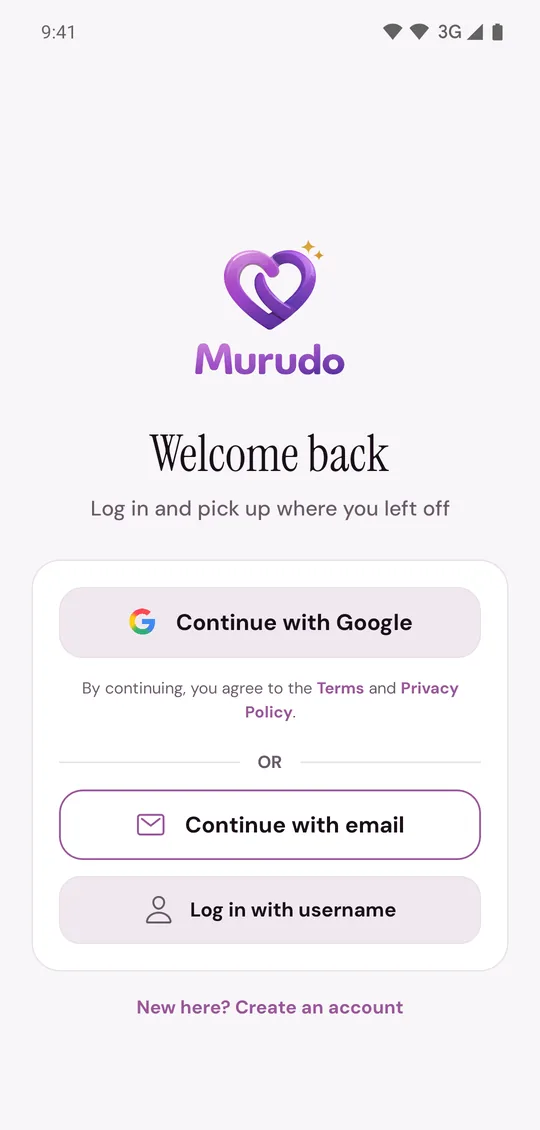
"Incorrect email or password"
- Check the email for typing mistakes. Passwords must match exactly, including capital letters.
- If you signed up with Google and never added a password, the email form will not work. Go back and tap Continue with Google.
- Forgotten the password? Tap Forgot password? to get a 6-digit code by email. See Reset a forgotten password.
- If you deleted your account, it is gone and its email and password no longer work. See Coming back after deleting your account.
"Incorrect username or password"
A username is not an email address. Use Log in with username only if you created your account without an email. If you forgot the password, tap Recover with selfie. You need the recovery contact and phrase you saved when you signed up. See Recover a username account with a selfie.
Murudo asks you to set up a profile again
If you tap Continue with Google and land on What's your first name?, you chose a Google account that had no Murudo profile, and a new empty account was made for it. Your real account is untouched. Tap Log out at the bottom of that screen, then log in with the Google account, email or username you first used.
"Account disabled. Contact support."
The account has been switched off and cannot be used. This is not the same as a suspension or ban, which let you log in and show a reason. Email support@foretellhq.com from the address on the account.
You get in, but see Account Suspended or Account Banned
Your login worked. See My account was suspended or banned.
You are asked for an email code that does not arrive
See The email code is not arriving.
"Rate limit exceeded" or "Too many attempts"
You tried too many times in a row. Wait a full minute, then try once. See "Too many attempts" or "Slow down" messages.
"Cannot reach Murudo right now"
This is your connection, not your password. Check it and try again. See Using Murudo on a slow or lost connection.
On Murudo Web
Open murudo.co/app and tap Sign in. The same three methods are there, and the messages mean the same. You may also see Continue with passkey. It only works if you saved a passkey for your account earlier, under Settings, Account, Passkeys.
Updated 13 October 2026