
Request a feature or report a bug
Send an idea or a problem to the Murudo team from Settings in the Android app, and what to use instead on Murudo Web.
- Android app
- Murudo Web
In the Android app, open Profile, Settings, then tap Request a feature or Report a bug. These forms go to the team that builds Murudo. They are not a chat. If you need an answer, or help with your account or a payment, contact support instead.
Request a feature
- Open the Profile tab and tap Settings.
Under Support, tap Request a feature.
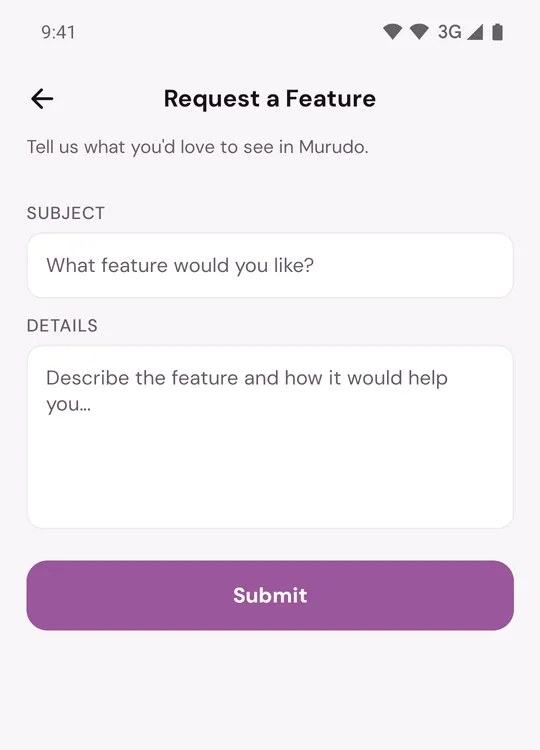
- In Subject, say what you would like in a few words.
- In Details, describe the feature and how it would help you.
- Tap Submit.
You see a Thank you message when it has been sent.
Report a bug
- Open the Profile tab and tap Settings.
Under Support, tap Report a bug.
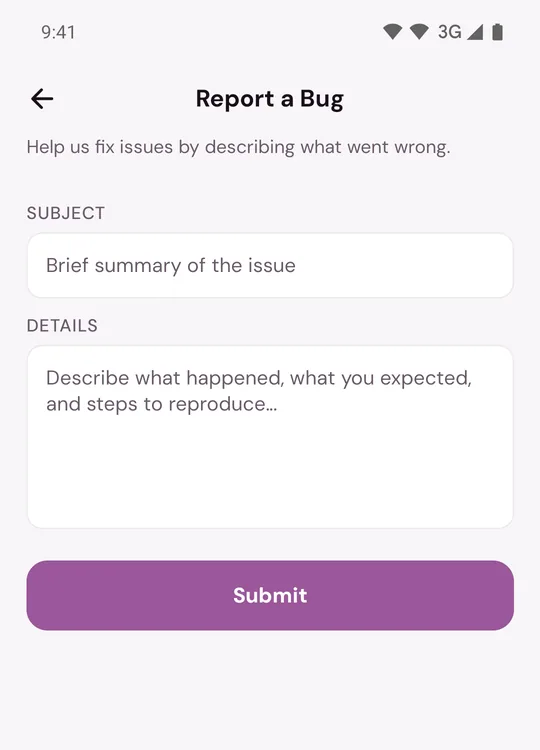
- In Subject, give a short summary of the problem.
- In Details, say what you were doing, what happened and what you expected to happen.
- Tap Submit.
A useful bug report also gives:
- Your phone model.
- The version line from the bottom of Settings, for example Murudo 1.0.1 (64). See Find your Murudo version.
- The exact words of any error message.
Good to know
- Both fields are needed. The subject can be up to 200 characters and the details up to 2,000.
- You cannot attach a picture to these forms. If a screenshot would help, send it through Inbox, Contact Murudo.
- You may not get a personal reply. If your account has an email address, you may get an email saying your feedback has been reviewed.
- If you see Couldn't submit, check your connection and try again. Sending many forms in a short time is also stopped for a while.
- Do not use these forms to report a person. See Report someone.
On Murudo Web
Murudo Web has no feature or bug form. Open Profile, Inbox, Contact Murudo and send your idea or problem there.
Updated 13 October 2026