
Show height in metres or feet
Choose whether heights on profiles show in metres or in feet and inches. Distances are always shown in kilometres.
- Android app
- Murudo Web
You can see heights in metres (1.75 m) or in feet and inches (5'9"). Open Match preferences and choose under Height Display. Distances are always in kilometres. There is no miles setting.
In the Android app
- Open the Profile tab and tap Settings.
- Tap Match preferences.
Scroll to the bottom, to Height Display.
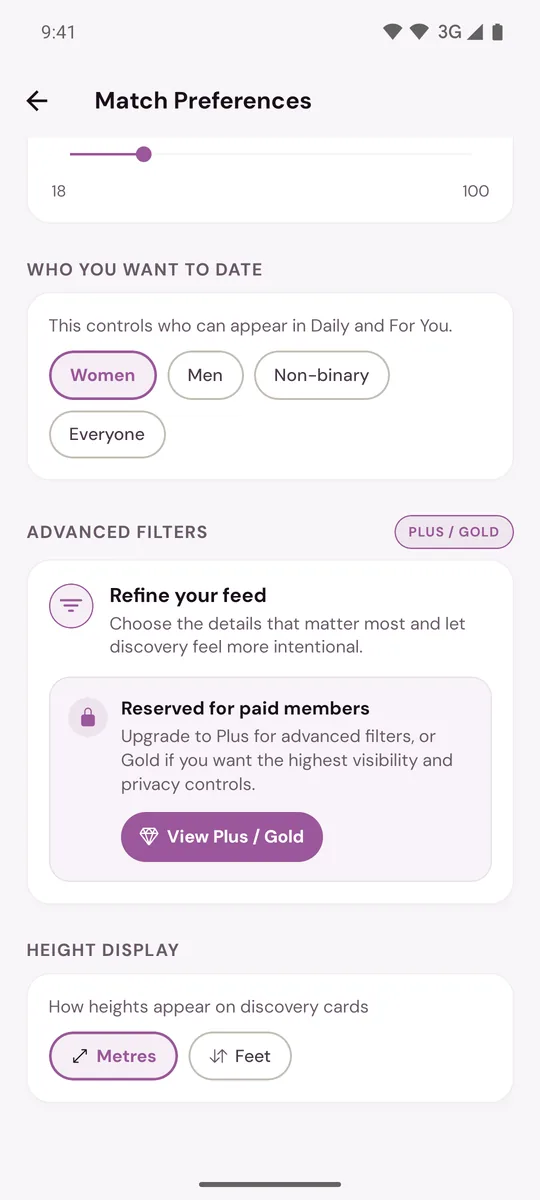
- Tap Metres or Feet.
The change is saved as soon as you tap. You can also open Match preferences from the sliders icon at the top of For You.
What it changes
- How heights look to you on profiles in For You and Daily, on your matches' profiles and in Preview Profile.
- Nothing for anyone else. Each member chooses their own unit, so someone who chose feet sees your height in feet.
- Not how you enter your own height. That is always in centimetres, from 120 to 220 cm. See Edit your profile.
The app starts on Metres. Your choice is kept on your phone, so set it again after reinstalling or on a new phone.
On Murudo Web
- Open Profile, then Settings.
- Tap Appearance.
- Under Height display, tap Metres or Feet.
It is saved in that browser only.
Distance
Distances on profiles and the Max Distance setting are in kilometres. As a rough guide, 10 km is about 6 miles, 50 km is about 31 miles and 100 km is about 62 miles. To change how far away people can be, see Set your distance, age range and who you want to date.
Updated 13 October 2026