
What is Murudo Meets?
Murudo Meets are official in-person events hosted by Murudo staff. Find them on the Meets tab, where you book a place and keep your ticket.
- Android app
- Murudo Web
Murudo Meets are official events where members meet in person. Murudo publishes every event, and the app states that Murudo staff host and moderate each one. You find events, book a place and keep your ticket on the Meets tab.
What is on the Meets tab
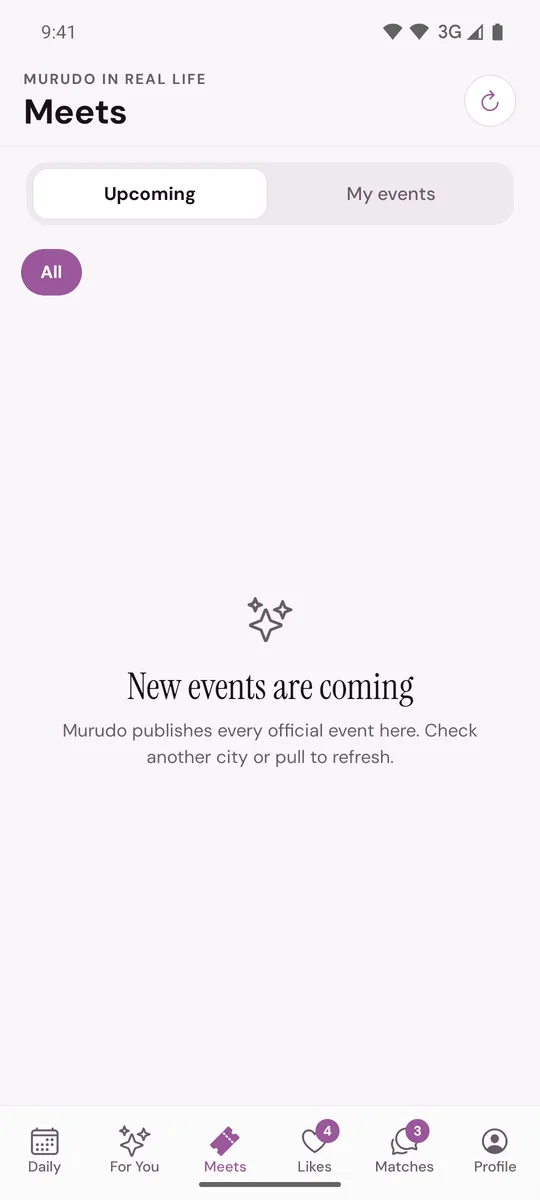
- Upcoming lists the events you can book. My events keeps the events you have reserved or paid for, including past ones.
- A row of city buttons lets you show one city at a time. All shows every event.
- Each event card shows the date, the city, the title, the start time, the ticket price and how many places are left. A full event says Waitlist.
Tap a card to open Event details: when the event is, your ticket price, a description under The experience, and the buttons to book.
How events work
- An event can be free or have a ticket price. The price shown is the price for you.
- The exact venue is private. Before you book you see only the city. The venue appears once your ticket is confirmed.
- A confirmed place gives you a QR ticket to show at the door.
- Events are for members aged 18 or over with a finished, active profile. Murudo may also ask you to verify your profile before you can book.
- When an event is full you can join its waitlist.
- Members with Gold on a 30-day pass are sometimes offered a free seat. See Free seats for Gold members.
If there are no events
Events are not always running. When nothing is listed you see New events are coming. Pull the list down to refresh it. If you had chosen a city, tap All to see events everywhere.
Next steps
- Book a place at an event
- Pay for an event ticket
- Your QR ticket and the venue
- Staying safe at Murudo events
On Murudo Web
The Meets tab opens Murudo Meets with the upcoming events. Tap View on an event to see its details and book. Murudo Web has no My events tab and no city buttons, and it does not show the QR ticket. An event you have booked shows Going on its card.
Updated 13 October 2026